.png)

Ever scrolled online and thought, “I could sell that”? You’re not alone. Selling digital products makes it easy to turn your skills into income. And the best part? The market is booming.
The global digital content creation market reached $32.28 billion in 2024 and is projected to grow at 13.9% annually, creating massive opportunities for entrepreneurs to monetise their expertise.
In this guide, you’ll discover 15 profitable digital products you can sell, from e-books and courses to design templates and more. So, whether you're a graphic designer, educator, or creative professional, we've got you covered.
Let's be clear: we're not promising overnight success, but with effort and creativity, you can turn your skills into a thriving online business — and maybe even your dream lifestyle.
What are Digital Products?
Digital products are intangible goods that exist in electronic form and can be downloaded or accessed online, rather than being physically shipped. They can include anything from ebooks, online courses, templates, and stock photos to music, software, or design assets.
Why Sell Digital Products?
Selling digital products offers creative freedom, global reach, and long-term business advantages without the limits of physical goods. Beyond that, digital products come with several standout advantages that make them a smart long-term business option.
Low Overhead and Higher Profit Margins
One major advantage of selling digital products is the low startup cost. There’s no need for materials, packaging, or shipping. Once created, you can sell it repeatedly with no extra expense, keeping more profit to grow your business..
Create Once, Sell Forever
Digital products let you earn passive income by creating once and selling repeatedly. For example, a single ebook or video course can generate sales for years without extra work. This model makes digital products highly profitable.
Growing Demand in the Creator Economy
Online education is projected to hit $185.2 billion in 2025. This is driven by the rise of the creator economy. As people seek online courses, templates, guides, and stock photos to simplify their lives, demand for digital products keeps growing.
Reach Customers Worldwide
Unlike physical products limited by shipping or customs, digital products can be delivered instantly worldwide. A photographer in Lagos can sell to London, or a designer in New York to Asia. This global reach expands your customer base and fuels steady growth. Before diving in, decide which type of digital product best fits your skills and goals.
How to Choose the Right Digital Product to Sell
Choosing what to sell is a key step in building a digital product business. Many beginners struggle with this, but it’s easier when broken into simple steps..
1.) Match Your Skills With Demand
Start by aligning your skills or interests with what people need. If you’re great at design, for example, you could create design templates or branding kits. Writers can make ebooks, and experts can offer courses or training materials. Focusing on where your strengths meet audience demand helps you build something valuable and sustainable.
2.) Validate Your Idea
Before investing in a digital product, confirm there’s real demand. Check online communities like Reddit or Facebook for questions people are asking and recurring pain points. These signals indicate that people are actively seeking solutions.
If you don’t have an audience yet, you can still test your idea by joining conversations in relevant communities and sharing your idea to gauge interest. Validation helps you focus on products with real potential.
3.) Choose the Preferred Model for Your Digital Product
When choosing a digital product, decide whether it fits an active or passive model. Both can be profitable but suit different ways of delivering value.
Digital products under the active model require your direct involvement. Examples are coaching, live workshops, or consultations. In this model, you trade time for money, but in return, you can charge premium rates and build closer client relationships. This model suits creators who enjoy real-time interaction or hands-on teaching.
In contrast, passive digital products are created once and sold repeatedly with little extra effort. Examples are templates, stock photos, courses, or ebooks. They don’t depend on your constant presence and can generate income even while you’re offline, making them ideal for flexible, scalable growth over time.
4.) Use the Right Tools
Many beginners think they need to code or hire developers to sell digital products, but no-code tools have changed that.
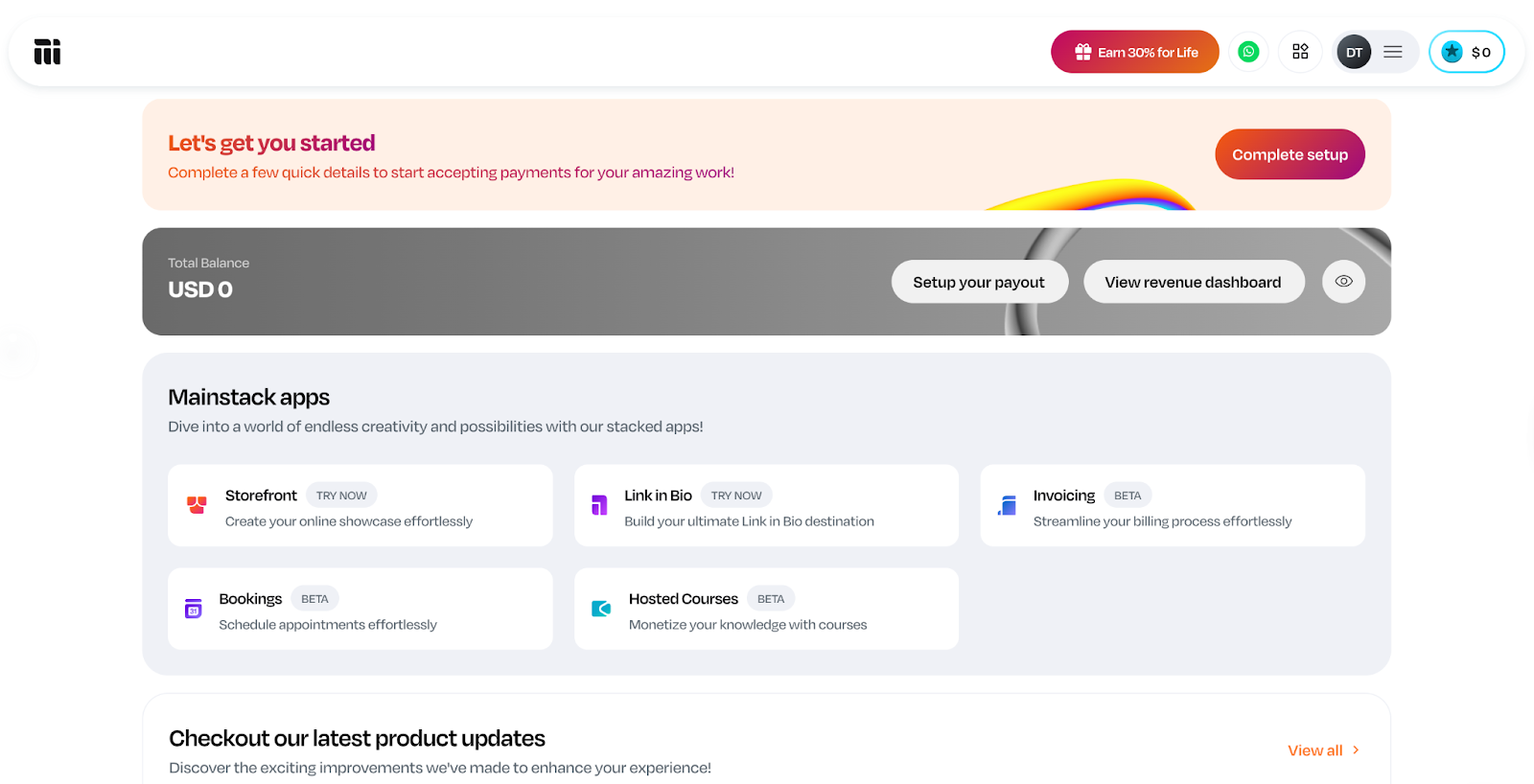
Platforms like Mainstack, for example, let you upload your product, set your price, and deliver it automatically to customers. It’s a simple way to get started quickly without being bogged down by technical details.
Other useful tools include:
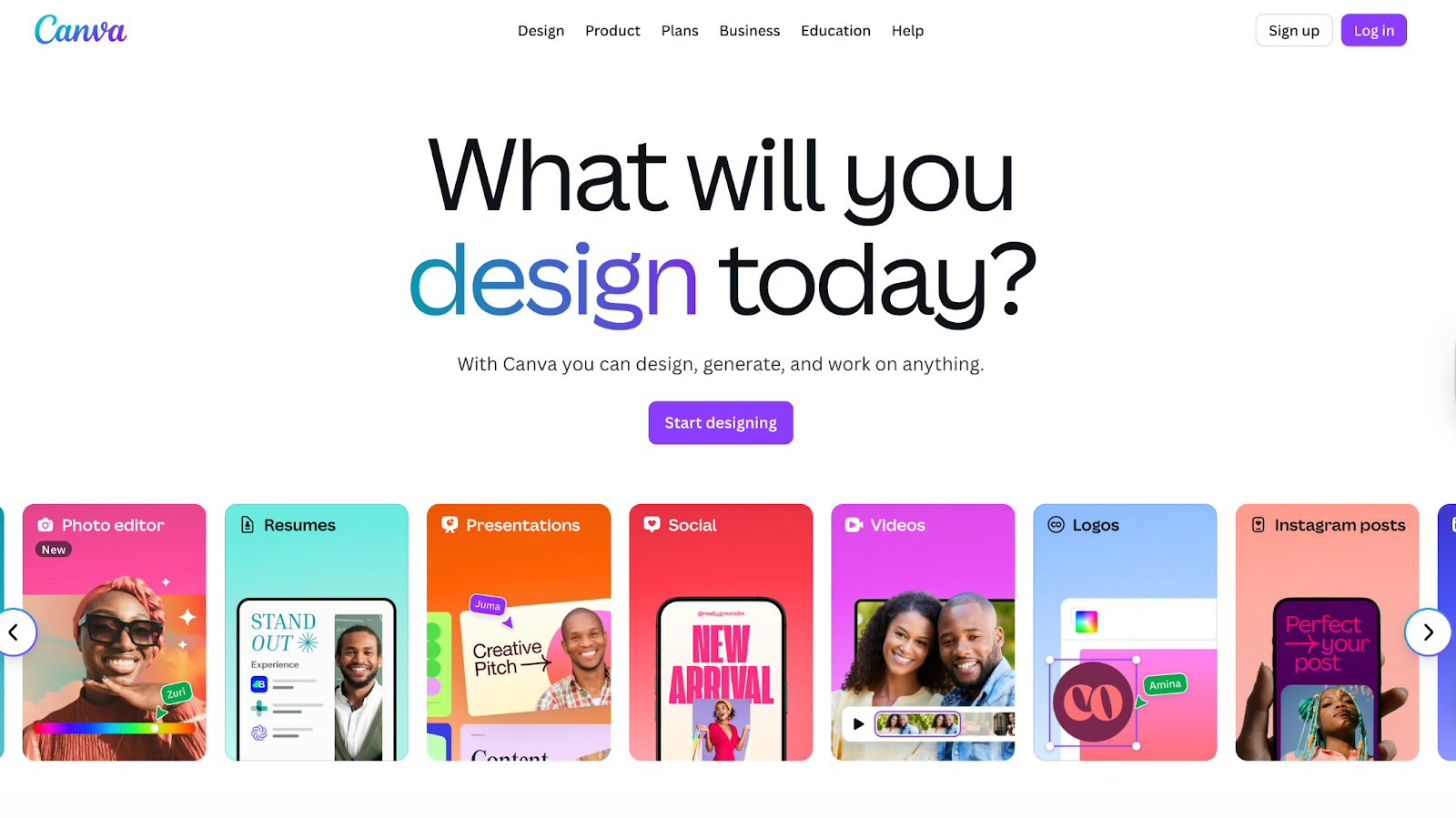
- Canva - for design
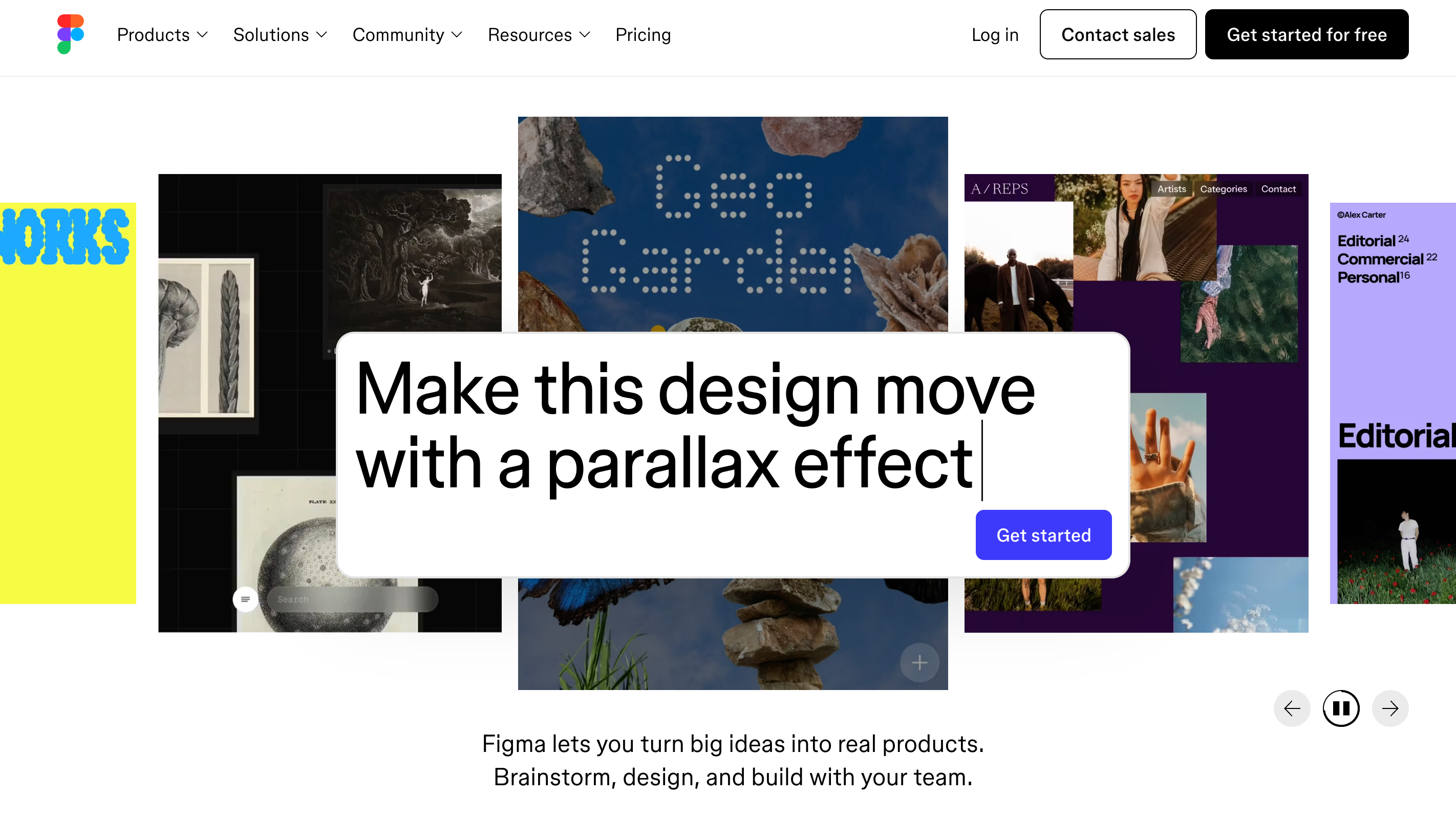
- Figma – for creating UI kits, templates, or design assets.
- Notion – for building planners, trackers, and digital journals.
- Google Slides or PowerPoint – for presentation templates or course materials.
15 High-Performing Digital Products You Can Sell Online
Now that you understand how to pick the right product, here’s 15 of the best digital products to sell online in 2025 and why they’re so profitable.
1. Online Courses
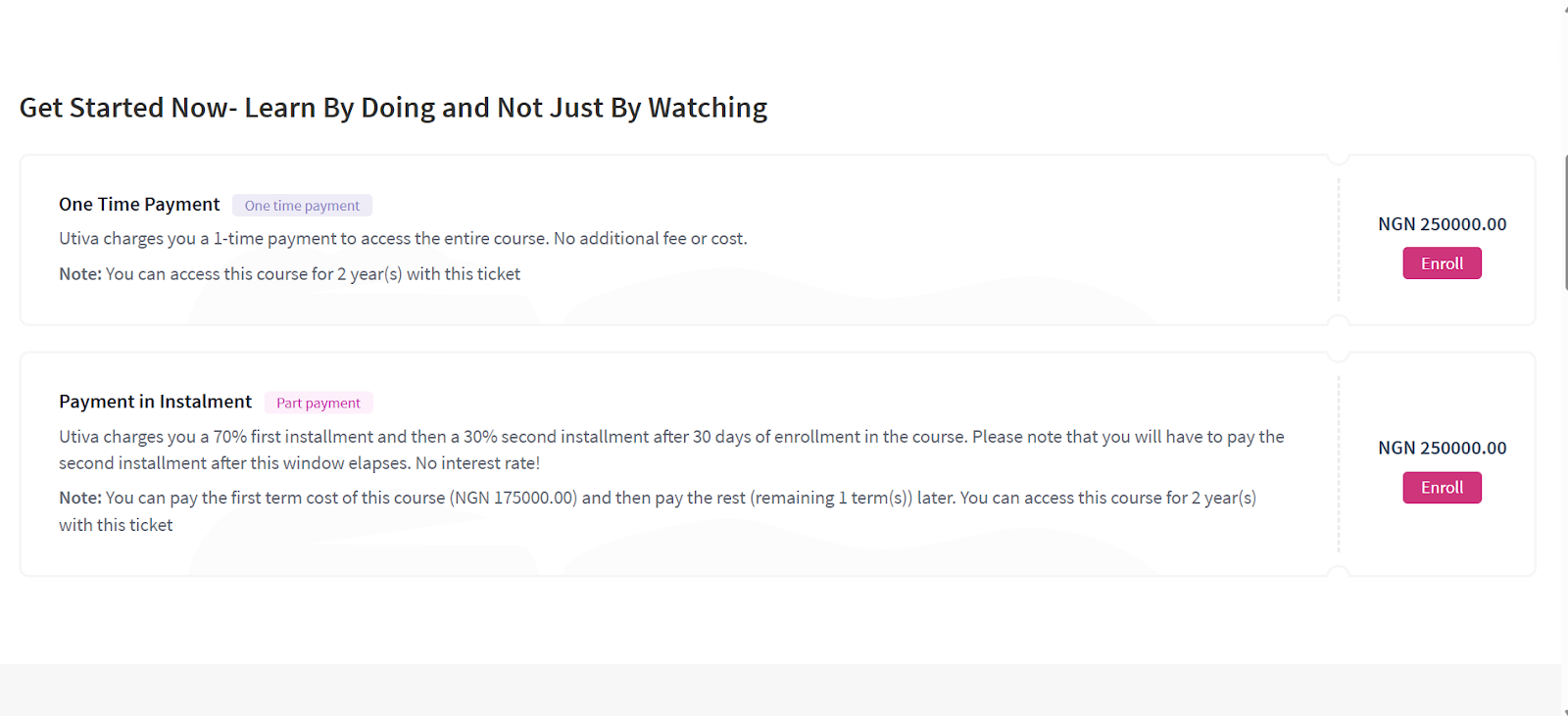
Online courses and tutorials are the best way to package your expertise and share knowledge through videos, slides, and resources. This is perfect for teaching skills like coding, design, or marketing.
To create an online course, choose a topic that is ever-green, in high-demand, and suits your expertise. As you work out the fine details of your course, create an outline, modules and a script.
Tools like Teachable help organize lessons and manage students, Loom simplifies video recording, and Canva makes creating slides and visuals easy.
Choosing the right platform to sell matters. For example, Udemy exposes courses to millions of learners but the competition is fierce. Meanwhile hosting your course on Coursera adds credibility through university partnerships but this comes with multiple restrictions.
With Mainstack, however, creators can host courses directly while maintaining full control over pricing, branding, and learner experience. Each option offers unique advantages, making online courses a flexible and appealing choice for creators.
2. E-books & Guides
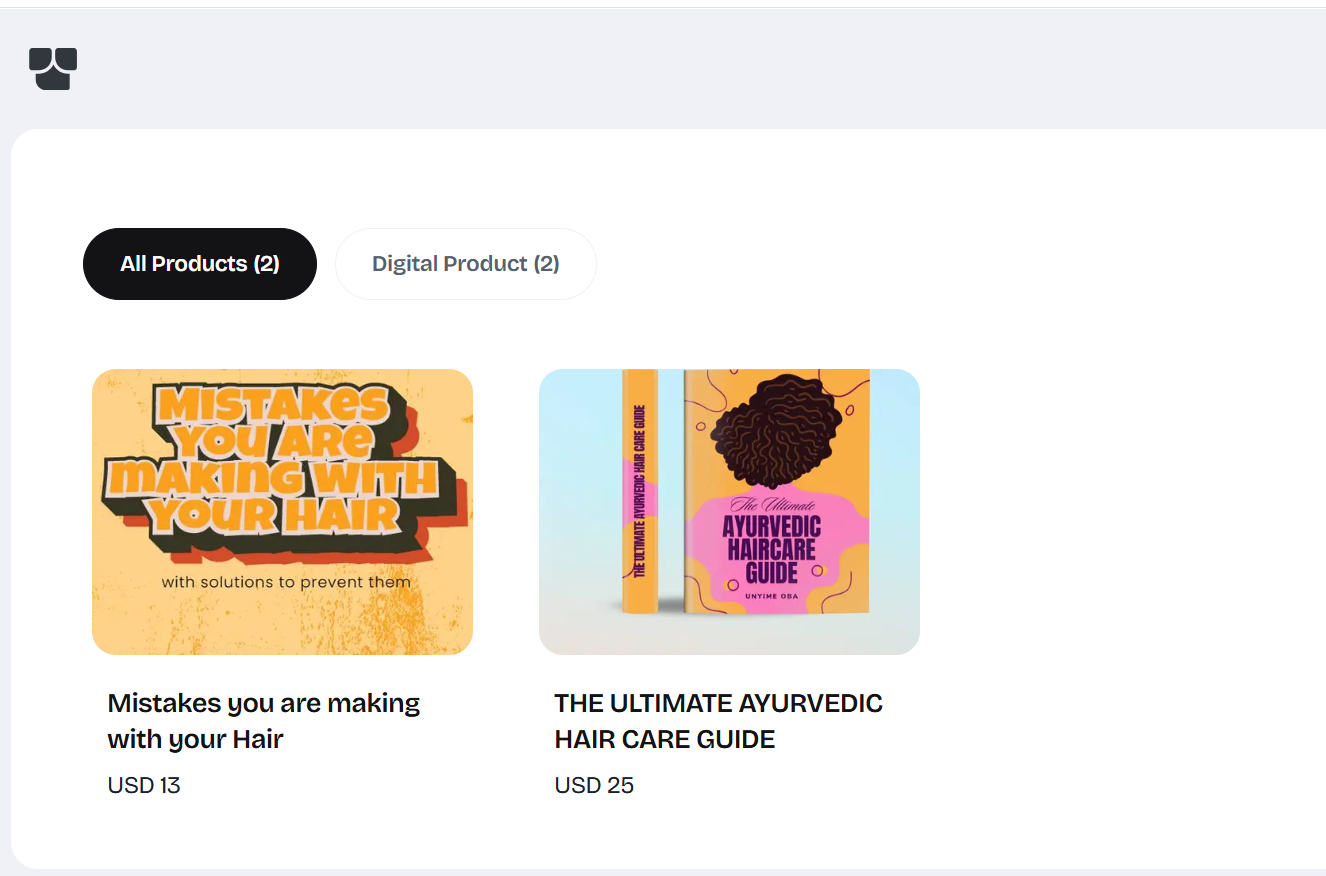
Ebooks are the easiest and most profitable digital products to sell. They suit almost any niche and can generate passive income for years. If you have useful knowledge or experience, you can turn it into a guide or playbook people will pay for.
With e-books, the biggest advantage is accessibility. Unlike online courses, they’re easy to create, design and package for sale.
You can create an ebook using tools like Google Docs or Canva, then sell it repeatedly without extra cost. Platforms like Amazon KDP and Gumroad give access to large audiences, while Mainstack lets you sell directly with full control over pricing, branding, and customer relationships. This flexibility makes it easy to reach readers and earn consistently.
3. Templates & Printables
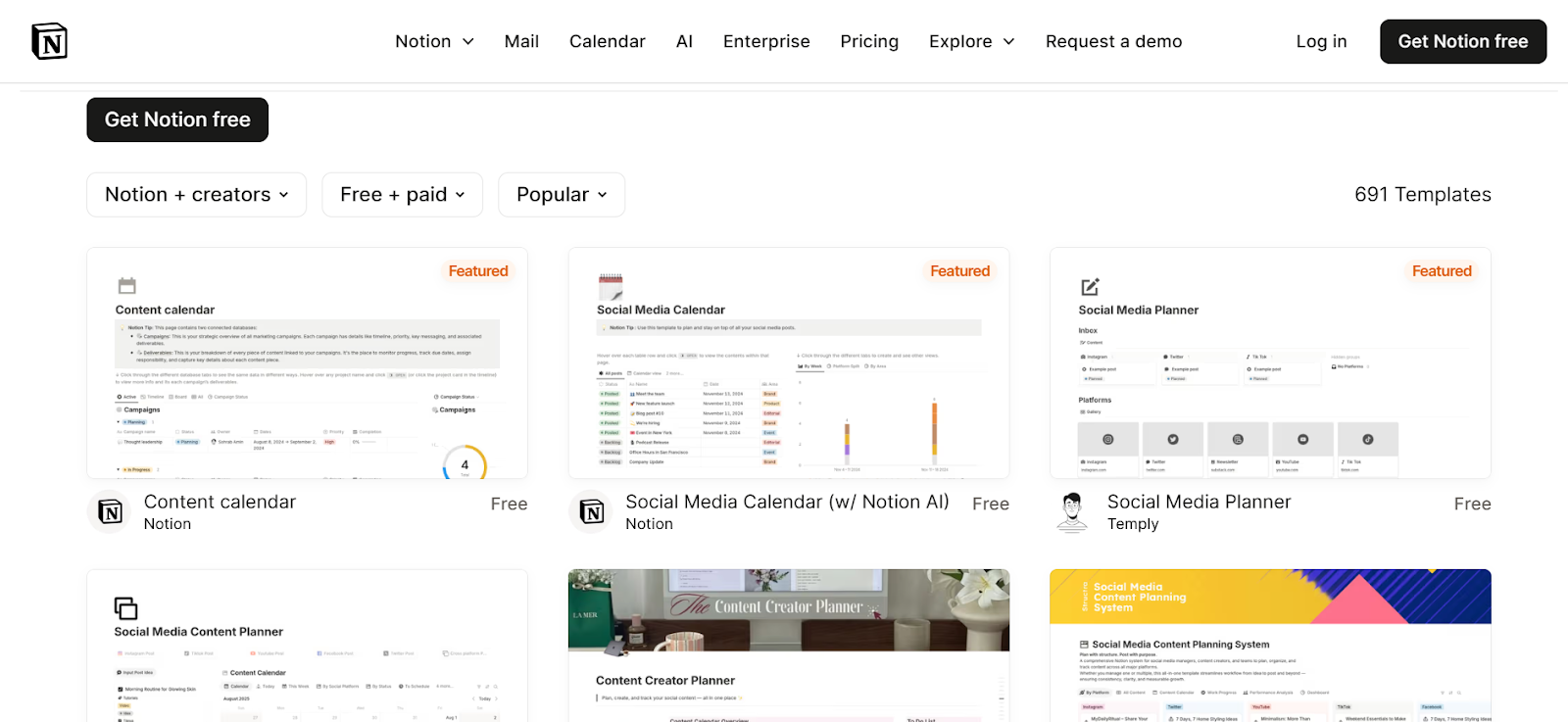
Templates and printables are pre-designed digital products that anyone can edit and customize to suit their branding or style—without starting from scratch. For example, it could be as simple as a Canva template for design or as complex as a website template for developers.
Templates and printables are easy to create yet highly valuable and in-demand. Start by looking for designs, systems, or workflows people already use and struggle to create from scratch. These gaps are great opportunities for templates.
Examples of templates in demand include:
- Social media post templates
- Website and landing page design templates
- Email marketing templates
- Presentation and pitch deck templates
Identify what your audience uses often, then create a plug-and-play version that saves them time.
Once you’ve picked a niche, tools like Canva, Figma, or Google Sheets make it easy to design and export editable templates. Platforms like Etsy, Gumroad, or Mainstack can help you sell directly to your audience and deliver files instantly.
4. Stock Photos & Videos

Stock photos and videos are digital assets businesses and creators use for websites, social media, and marketing. This is a great way for photographers and videographers to monetize their skills.
Stock visuals are profitable because one file can be licensed and sold repeatedly, thereby creating steady income without the constant need to create new material.
Tools like Lightroom, Photoshop, and Canva make it easy to produce high-quality visuals, even for beginners. You can sell them on marketplaces like Shutterstock, Adobe Stock, or iStock, reaching a global audience of buyers.
5. Software and Mobile Apps
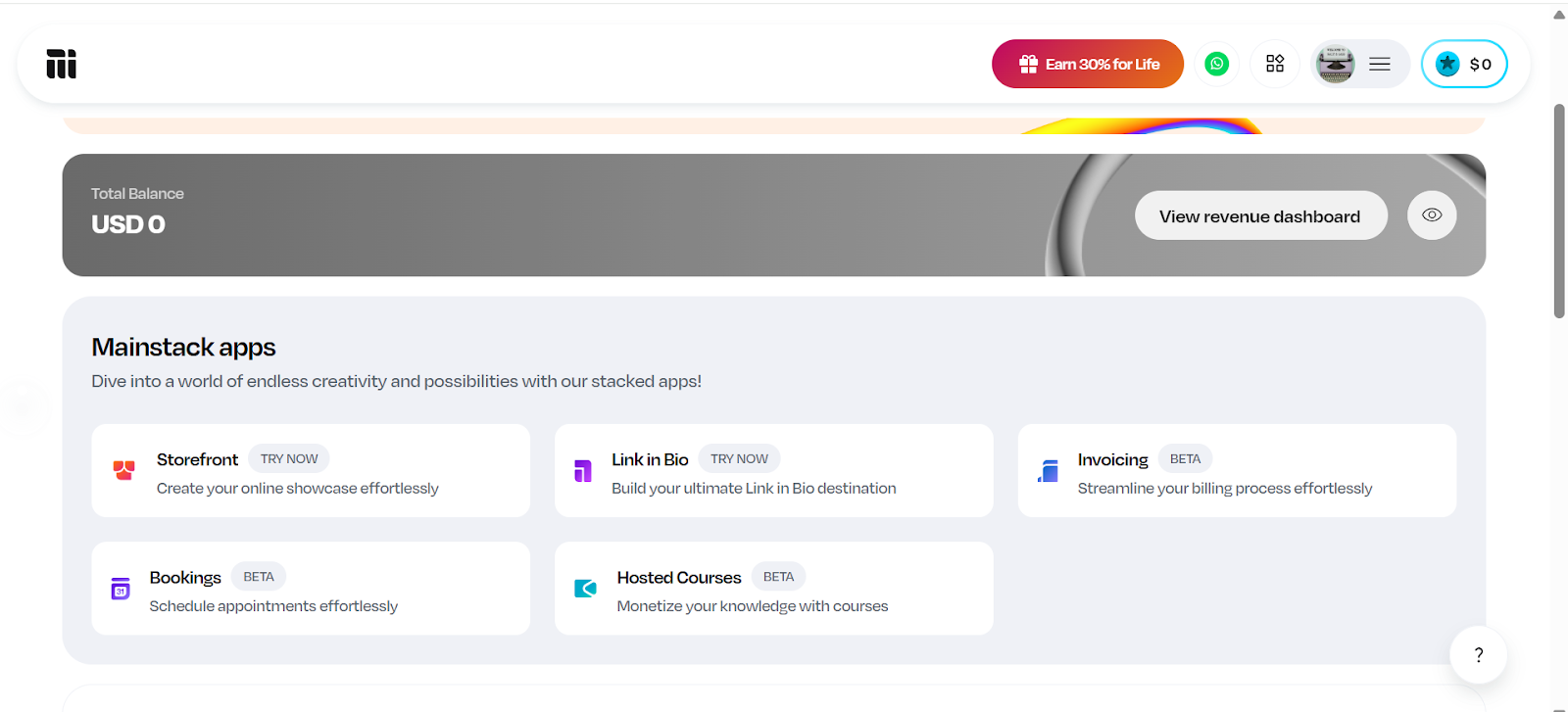
Software and apps are digital products that solve problems or provide useful features, from productivity tools to entertainment. They can generate strong income through one-time purchases or subscription models that offer recurring revenue.
One disadvantage of developing software or apps is the need for technical skills or a development team, but the potential returns can be substantial. You can distribute apps through the Apple App Store, Google Play Store, or other software marketplaces.
6. Graphic Design Assets (Icons, Fonts, Logos)
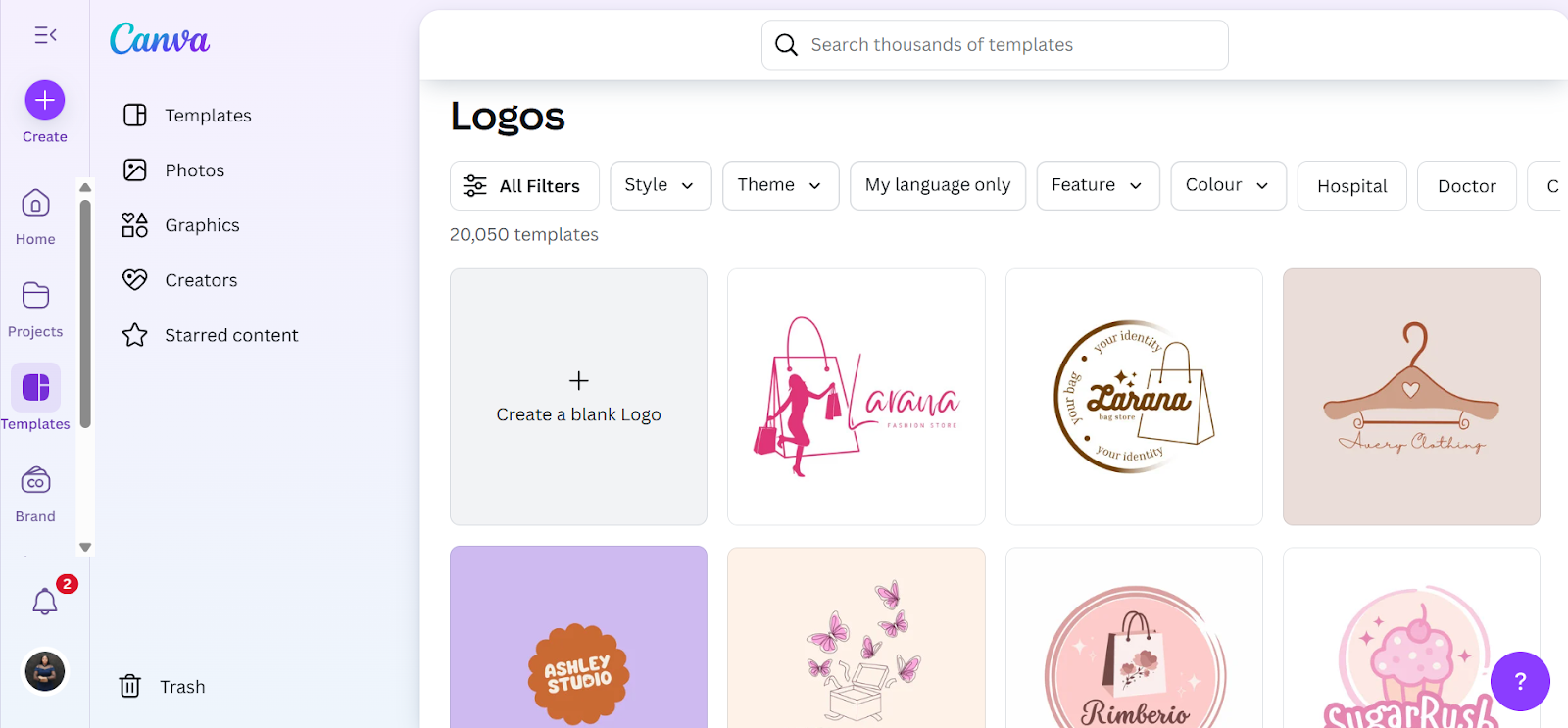
Graphic design assets are pre-made digital elements like icons, fonts, logos, and illustrations that other creators, businesses, or marketers can use in their projects.
These products are highly sought after because they save time and provide professional-quality design without the need for advanced skills.
Popular examples are custom icon packs for websites, unique font families, logo templates and social media graphic sets
Designers who create these assets can tap into a growing market of small businesses, content creators, and agencies looking for ready-to-use visuals.
Tools to create: Adobe Illustrator, Figma, Canva
Where to sell:
- Creative Market, Envato Elements, Etsy
7. Music and Audio Content
Digital music and sound effects are always in demand for videos, podcasts, and ads. For creators with music production skills, this makes audio assets one of the most rewarding digital products to sell.
Royalty-free packs are a popular option. Examples include ambient background loops, cinematic tracks, or short sound effects like clicks, swooshes, or notifications. Each audio track can be licensed repeatedly, with the potential to earn repeatedly without extra work.
Tools to create: Logic Pro, FL Studio, GarageBand, Ableton Live
Where to sell: AudioJungle, Pond5, BeatStars and Bandcamp.
8. Coaching & Consultation Packages
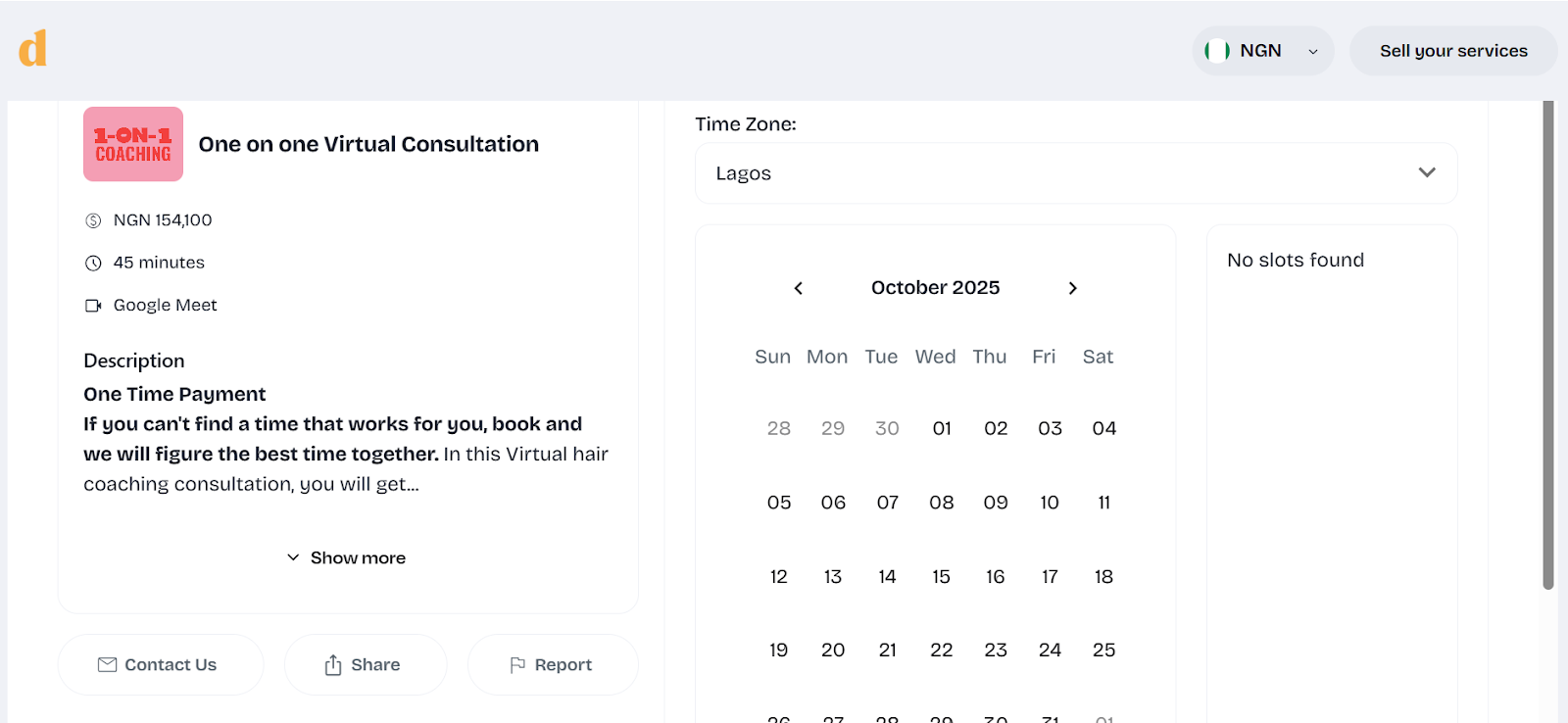
Coaching and consultation turn expertise into income. Instead of creating a generalized product, these packages give buyers personalized guidance tailored to their specific goals. Whether it’s career coaching, business strategy, fitness, or even wellness, the appeal lies in access to real-time problem-solving and accountability from someone with proven experience.
What makes these packages especially profitable is how they can be expanded beyond one-on-one sessions. Some coaches record live consultations (with permission) and sell them as replays, or bundle sessions with toolkits and frameworks so clients walk away with practical resources they can keep using. For example, a brand consultant might include a framework for content planning, while a career coach could offer a job search toolkit alongside their sessions. These extras add lasting value and make the package more than just a one-time conversation.
Tools to create & manage:
- Zoom or Google Meet, Calendly, Notion or Canva
Where to sell:
- Clarity.fm – connects experts with people seeking on-demand consultations.
- Coach.me – a platform tailored to coaching services with built-in accountability tools.
- Mainstack – helpful for coaches who want a central hub where clients can book sessions, access bundled toolkits, and make payments seamlessly.
9. Podcasts & Audio Content

Podcasts are one of the most versatile digital products because they fit seamlessly into people’s daily routines without demanding screen time. What makes them profitable is the variety of ways they can be monetized: creators can put episodes behind a paywall, sell bundles of recorded sessions, or offer ad-free versions to premium subscribers.
For example, an entrepreneur might run a private podcast series where they break down business strategies step by step, while a wellness coach could turn guided meditations into a subscription-only audio library.
Even entertainment-driven creators, like those in the true-crime niche, often release bonus episodes or early access content for paying listeners.
Tools to Create
- Recording & editing: Free tools like Audacity or GarageBand make it possible to record and polish audio without much technical skill. Advanced editors like Adobe Audition or Descript give professional-level sound editing and even features like automatic transcriptions.
- Hosting: Buzzsprout, Podbean, Anchor (Spotify for Podcasters)
Where to Sell / Monetize
- Spotify, Apple Podcasts, Podbean / Mumbler
10. Webinars and Virtual Events
Virtual events and webinars are great digital products because they combine education, interaction, and exclusivity. Unlike pre-recorded courses or podcasts, they happen live, which gives attendees the chance to ask questions, engage with the host, and feel like part of a community. At the same time, replays of these sessions can be sold afterwards, which means one event can continue generating income long after it ends.
Creators across industries use this model in different ways. A business strategist might host a live masterclass on scaling startups, charging for access and later repackaging the recording as a paid replay. Even artists and designers have found success hosting virtual workshops, where people pay to learn techniques live and then buy access to the replay if they couldn’t attend.
Tools to Create
- Zoom / Google Meet / Microsoft Teams: Easy options for hosting live events. Zoom is especially popular for paid webinars because of its features like breakout rooms, screen sharing, and recording.
- Webinar Platforms (Demio, WebinarJam, or Crowdcast): These are built specifically for webinars, offering registration pages, reminders, audience engagement tools (like polls and chats), and automatic replay hosting.
- Presentation Tools (Canva, Keynote, or PowerPoint): Help create professional slides and visuals to keep sessions engaging.
- Payment & Access Management (Eventbrite, Mainstack, or Gumroad): These tools handle ticket sales, registrations, and in some cases, automate the delivery of replay links to attendees.
Where to Sell & Host
- Eventbrite, Mainstack, Crowdcast
11. Web Elements (Themes & Plugins)

Themes and plugins are some of the most profitable digital products because they solve real problems for website owners. A theme controls how a site looks — its design, layout, and style — while plugins extend functionality, adding features like contact forms, SEO tools, or e-commerce capabilities. With millions of websites built on platforms like WordPress, Shopify, and Wix, the demand for well-designed themes and plugins is constant. Businesses, bloggers, and online stores are always looking for ways to improve their sites without hiring a full development team, making these products highly valuable.
To meet this need, a developer might create a WordPress theme designed specifically for food bloggers, or a Shopify plugin that helps e-commerce stores upsell related products at checkout. Because these tools are reusable and meet practical needs, one product can be sold repeatedly to different buyers, generating long-term income.
Tools to Create
- Code Editors (Visual Studio Code, Sublime Text): Essential for writing and testing theme or plugin code.
- Frameworks & Libraries: For WordPress, PHP and JavaScript are common; for Shopify, Liquid is the base language.
- Design Tools (Figma, Adobe XD, Sketch): Used to design user interfaces before development.
- Testing Tools (BrowserStack, Local WP): Ensure compatibility across different devices and browsers.
Where to Sell
- ThemeForest (by Envato): One of the largest marketplaces for themes and plugins. It’s competitive, but has huge traffic and buyers ready to purchase.
- TemplateMonster: Another well-known marketplace with categories for WordPress, Shopify, Joomla, and more.
- WordPress.org Plugin/Theme Directory: Ideal for building reputation. Free versions can attract users, while premium add-ons generate revenue.
- Shopify App Store: The go-to place for Shopify plugins, with high visibility for store owners seeking new functionality.
12. Digital Art and NFTs
Digital art and NFTs are often mentioned together but serve different purposes. Both let creators monetize visual work, yet they use different tools, markets, and selling methods.
Digital art is any creative work made with digital tools like illustrations, paintings, wallpapers, or printables. It’s in high demand among small businesses and individuals looking for posters, social media graphics, or desktop wallpapers, making it one of the most versatile and profitable digital products.
NFTs (non-fungible tokens) are digital assets tied to blockchain technology, giving each file unique ownership. Unlike digital art that can be sold repeatedly, NFTs are usually one-of-a-kind or limited edition, which adds to their value. Beyond art sales, creators also use NFTs for exclusive content, access, and community rewards.

Tools to Create
- Digital Art: Software like Procreate (great for digital illustrations), Adobe Photoshop, and Illustrator are go-to tools for creating polished pieces. Canva is another beginner-friendly option for simpler designs or templates.
- NFTs: The art itself can still be created in any digital art tool, but turning it into an NFT requires a “minting” platform such as OpenSea or Rarible, which handles the blockchain process.
Where to Sell
- Etsy, Creative Market, OpenSea & Rarible, Mainstack
13. Membership Communities
Memberships and subscriptions are reliable digital product models because they generate recurring revenue instead of one-time sales. They give subscribers access to exclusive content, resources, or communities and work well for creators who produce consistent value like tutorials, premium articles, private podcasts, or resource libraries..
Examples include private newsletters, exclusive online communities, and specialized resource hubs with templates, videos, or coaching sessions. Since members pay for ongoing access, this model also builds stronger audience relationships.
Tools to create membership communities: Patreon, Substack, Memberstack, Ghost
Where to sell membership communities: Patreon, Substack, Mainstack
14. Digital Magazines & Newsletters
Digital magazines and newsletters are one of the most accessible ways to package and sell knowledge. Unlike blogs or free email, they focus on curated, high-value content that people are willing to pay for. This could be industry insights, lifestyle tips, or niche commentary.
A digital magazine can look like a monthly publication with in-depth features, interviews, and visuals, for a specific audience.
Newsletters, on the other hand, are email-based publications that can range from personal commentary to curated links, updates, or insights. They’re typically shorter, more conversational, and thrive on consistency, often arriving weekly or bi-weekly. Unlike digital magazines, they don’t have to be long-form or heavily designed.

Both formats work because they give readers something structured, reliable, and more focused than what they’d find by casually scrolling online.
Tools to Create
- Canva / Adobe InDesign: Great for designing magazine layouts and visually rich content.
- Substack: Popular for newsletters, offering built-in payment options for paid subscriptions.
- Beehiiv: A user-friendly newsletter platform with growth and monetization tools.
Where to Sell
- Substack: Best for writers who want to build paid newsletters directly with a built-in audience discovery system.
- Issuu: A platform for publishing digital magazines that mimic the feel of traditional print, complete with flip-through pages.
- Mainstack: Useful for selling bundled magazine issues as one-time purchases.
15. Spreadsheets & Calculators
Spreadsheets and calculators might not sound flashy, but they’re some of the most practical and profitable digital products out there. People are constantly on the lookout for ready-made tools like budget planners, content calendars, or ROI calculators that save time and effort.
Before you create a spreadsheet, identify a market that needs a spreadsheet. Are they finance enthusiasts? Small business owners who want to analyze cost? Define that.
Next is to design the copy, spreadsheet and tutorial to match the audience’s taste. Remember, the appeal lies in how easily these tools can be customized by the buyer.
Tools to Create Spreadsheets & Calulators
- Microsoft Excel or Google Sheets: Standard options; Google Sheets is cloud-based and easy to share.
- Airtable: Combines spreadsheets with databases for interactive tools like planners or trackers.
- Notion: Great for visually designed calculators and planners.
Where to Sell Spreadsheets & Calulators
- Etsy: Strong for planners and tracking tools.
- Gumroad: Ideal for simple, direct sales.
- Mainstack: Best for bundling spreadsheets with other digital products.
Tips for Selling Digital Products Successfully
Creating digital products is half the work. The real challenge is reaching the right people and providing a smooth experience. A few core practices can make all the difference:
- Use a dedicated platform. Manage sales, payments, and customer relationships in one place to save time and prevent confusion. Tools like Mainstack offer storefronts, flexible checkouts, audience management, and built-in marketing tools, all under one dashboard.
- Prioritize branding, design, and user experience. Use clean visuals, clear product descriptions, and an easy checkout process to build trust and improve conversions
- Leverage marketing strategies: Visibility drives sales. Use SEO to attract search traffic, social media to grow awareness, and email marketing to nurture buyers. Combined, these channels create consistent growth..
- Protect digital products from misuse. Since files can easily be copied or shared, consider safeguards like digital rights management (DRM), watermarks for visual products, or license agreements. While no method is foolproof, these measures discourage piracy and protect the creator’s work.
- Deliver great customer support. Quick responses to questions, clear refund policies, and helpful communication build trust. Happy customers are more likely to leave positive reviews and recommend products to others.
Digital products remove the limits of physical ones. Because it’s not limited by borders, you can sell globally. For creators, this means more freedom and greater control over how their value is shared.
And if you’re looking for a way to start selling, platforms like Mainstack do the heavy lifting. Mainstack helps you package, present, and sell your products without worrying about tech setup.
If you’ve been thinking about starting, now’s the time. Set up your Mainstack storefront; it takes just five minutes.
Ever scrolled online and thought, “I could sell that”? You’re not alone. Selling digital products makes it easy to turn your skills into income. And the best part? The market is booming.
The global digital content creation market reached $32.28 billion in 2024 and is projected to grow at 13.9% annually, creating massive opportunities for entrepreneurs to monetise their expertise.
In this guide, you’ll discover 15 profitable digital products you can sell, from e-books and courses to design templates and more. So, whether you're a graphic designer, educator, or creative professional, we've got you covered.
Let's be clear: we're not promising overnight success, but with effort and creativity, you can turn your skills into a thriving online business — and maybe even your dream lifestyle.
What are Digital Products?
Digital products are intangible goods that exist in electronic form and can be downloaded or accessed online, rather than being physically shipped. They can include anything from ebooks, online courses, templates, and stock photos to music, software, or design assets.
Why Sell Digital Products?
Selling digital products offers creative freedom, global reach, and long-term business advantages without the limits of physical goods. Beyond that, digital products come with several standout advantages that make them a smart long-term business option.
Low Overhead and Higher Profit Margins
One major advantage of selling digital products is the low startup cost. There’s no need for materials, packaging, or shipping. Once created, you can sell it repeatedly with no extra expense, keeping more profit to grow your business..
Create Once, Sell Forever
Digital products let you earn passive income by creating once and selling repeatedly. For example, a single ebook or video course can generate sales for years without extra work. This model makes digital products highly profitable.
Growing Demand in the Creator Economy
Online education is projected to hit $185.2 billion in 2025. This is driven by the rise of the creator economy. As people seek online courses, templates, guides, and stock photos to simplify their lives, demand for digital products keeps growing.
Reach Customers Worldwide
Unlike physical products limited by shipping or customs, digital products can be delivered instantly worldwide. A photographer in Lagos can sell to London, or a designer in New York to Asia. This global reach expands your customer base and fuels steady growth. Before diving in, decide which type of digital product best fits your skills and goals.
How to Choose the Right Digital Product to Sell
Choosing what to sell is a key step in building a digital product business. Many beginners struggle with this, but it’s easier when broken into simple steps..
1.) Match Your Skills With Demand
Start by aligning your skills or interests with what people need. If you’re great at design, for example, you could create design templates or branding kits. Writers can make ebooks, and experts can offer courses or training materials. Focusing on where your strengths meet audience demand helps you build something valuable and sustainable.
2.) Validate Your Idea
Before investing in a digital product, confirm there’s real demand. Check online communities like Reddit or Facebook for questions people are asking and recurring pain points. These signals indicate that people are actively seeking solutions.
If you don’t have an audience yet, you can still test your idea by joining conversations in relevant communities and sharing your idea to gauge interest. Validation helps you focus on products with real potential.
3.) Choose the Preferred Model for Your Digital Product
When choosing a digital product, decide whether it fits an active or passive model. Both can be profitable but suit different ways of delivering value.
Digital products under the active model require your direct involvement. Examples are coaching, live workshops, or consultations. In this model, you trade time for money, but in return, you can charge premium rates and build closer client relationships. This model suits creators who enjoy real-time interaction or hands-on teaching.
In contrast, passive digital products are created once and sold repeatedly with little extra effort. Examples are templates, stock photos, courses, or ebooks. They don’t depend on your constant presence and can generate income even while you’re offline, making them ideal for flexible, scalable growth over time.
4.) Use the Right Tools
Many beginners think they need to code or hire developers to sell digital products, but no-code tools have changed that.
Platforms like Mainstack, for example, let you upload your product, set your price, and deliver it automatically to customers. It’s a simple way to get started quickly without being bogged down by technical details.
Other useful tools include:
- Canva - for design
- Figma – for creating UI kits, templates, or design assets.
- Notion – for building planners, trackers, and digital journals.
- Google Slides or PowerPoint – for presentation templates or course materials.
15 High-Performing Digital Products You Can Sell Online
Now that you understand how to pick the right product, here’s 15 of the best digital products to sell online in 2025 and why they’re so profitable.
1. Online Courses
Online courses and tutorials are the best way to package your expertise and share knowledge through videos, slides, and resources. This is perfect for teaching skills like coding, design, or marketing.
To create an online course, choose a topic that is ever-green, in high-demand, and suits your expertise. As you work out the fine details of your course, create an outline, modules and a script.
Tools like Teachable help organize lessons and manage students, Loom simplifies video recording, and Canva makes creating slides and visuals easy.
Choosing the right platform to sell matters. For example, Udemy exposes courses to millions of learners but the competition is fierce. Meanwhile hosting your course on Coursera adds credibility through university partnerships but this comes with multiple restrictions.
With Mainstack, however, creators can host courses directly while maintaining full control over pricing, branding, and learner experience. Each option offers unique advantages, making online courses a flexible and appealing choice for creators.
2. E-books & Guides
Ebooks are the easiest and most profitable digital products to sell. They suit almost any niche and can generate passive income for years. If you have useful knowledge or experience, you can turn it into a guide or playbook people will pay for.
With e-books, the biggest advantage is accessibility. Unlike online courses, they’re easy to create, design and package for sale.
You can create an ebook using tools like Google Docs or Canva, then sell it repeatedly without extra cost. Platforms like Amazon KDP and Gumroad give access to large audiences, while Mainstack lets you sell directly with full control over pricing, branding, and customer relationships. This flexibility makes it easy to reach readers and earn consistently.
3. Templates & Printables
Templates and printables are pre-designed digital products that anyone can edit and customize to suit their branding or style—without starting from scratch. For example, it could be as simple as a Canva template for design or as complex as a website template for developers.
Templates and printables are easy to create yet highly valuable and in-demand. Start by looking for designs, systems, or workflows people already use and struggle to create from scratch. These gaps are great opportunities for templates.
Examples of templates in demand include:
- Social media post templates
- Website and landing page design templates
- Email marketing templates
- Presentation and pitch deck templates
Identify what your audience uses often, then create a plug-and-play version that saves them time.
Once you’ve picked a niche, tools like Canva, Figma, or Google Sheets make it easy to design and export editable templates. Platforms like Etsy, Gumroad, or Mainstack can help you sell directly to your audience and deliver files instantly.
4. Stock Photos & Videos
Stock photos and videos are digital assets businesses and creators use for websites, social media, and marketing. This is a great way for photographers and videographers to monetize their skills.
Stock visuals are profitable because one file can be licensed and sold repeatedly, thereby creating steady income without the constant need to create new material.
Tools like Lightroom, Photoshop, and Canva make it easy to produce high-quality visuals, even for beginners. You can sell them on marketplaces like Shutterstock, Adobe Stock, or iStock, reaching a global audience of buyers.
5. Software and Mobile Apps
Software and apps are digital products that solve problems or provide useful features, from productivity tools to entertainment. They can generate strong income through one-time purchases or subscription models that offer recurring revenue.
One disadvantage of developing software or apps is the need for technical skills or a development team, but the potential returns can be substantial. You can distribute apps through the Apple App Store, Google Play Store, or other software marketplaces.
6. Graphic Design Assets (Icons, Fonts, Logos)
Graphic design assets are pre-made digital elements like icons, fonts, logos, and illustrations that other creators, businesses, or marketers can use in their projects.
These products are highly sought after because they save time and provide professional-quality design without the need for advanced skills.
Popular examples are custom icon packs for websites, unique font families, logo templates and social media graphic sets
Designers who create these assets can tap into a growing market of small businesses, content creators, and agencies looking for ready-to-use visuals.
Tools to create: Adobe Illustrator, Figma, Canva
Where to sell:
- Creative Market, Envato Elements, Etsy
7. Music and Audio Content
Digital music and sound effects are always in demand for videos, podcasts, and ads. For creators with music production skills, this makes audio assets one of the most rewarding digital products to sell.
Royalty-free packs are a popular option. Examples include ambient background loops, cinematic tracks, or short sound effects like clicks, swooshes, or notifications. Each audio track can be licensed repeatedly, with the potential to earn repeatedly without extra work.
Tools to create: Logic Pro, FL Studio, GarageBand, Ableton Live
Where to sell: AudioJungle, Pond5, BeatStars and Bandcamp.
8. Coaching & Consultation Packages
Coaching and consultation turn expertise into income. Instead of creating a generalized product, these packages give buyers personalized guidance tailored to their specific goals. Whether it’s career coaching, business strategy, fitness, or even wellness, the appeal lies in access to real-time problem-solving and accountability from someone with proven experience.
What makes these packages especially profitable is how they can be expanded beyond one-on-one sessions. Some coaches record live consultations (with permission) and sell them as replays, or bundle sessions with toolkits and frameworks so clients walk away with practical resources they can keep using. For example, a brand consultant might include a framework for content planning, while a career coach could offer a job search toolkit alongside their sessions. These extras add lasting value and make the package more than just a one-time conversation.
Tools to create & manage:
- Zoom or Google Meet, Calendly, Notion or Canva
Where to sell:
- Clarity.fm – connects experts with people seeking on-demand consultations.
- Coach.me – a platform tailored to coaching services with built-in accountability tools.
- Mainstack – helpful for coaches who want a central hub where clients can book sessions, access bundled toolkits, and make payments seamlessly.
9. Podcasts & Audio Content
Podcasts are one of the most versatile digital products because they fit seamlessly into people’s daily routines without demanding screen time. What makes them profitable is the variety of ways they can be monetized: creators can put episodes behind a paywall, sell bundles of recorded sessions, or offer ad-free versions to premium subscribers.
For example, an entrepreneur might run a private podcast series where they break down business strategies step by step, while a wellness coach could turn guided meditations into a subscription-only audio library.
Even entertainment-driven creators, like those in the true-crime niche, often release bonus episodes or early access content for paying listeners.
Tools to Create
- Recording & editing: Free tools like Audacity or GarageBand make it possible to record and polish audio without much technical skill. Advanced editors like Adobe Audition or Descript give professional-level sound editing and even features like automatic transcriptions.
- Hosting: Buzzsprout, Podbean, Anchor (Spotify for Podcasters)
Where to Sell / Monetize
- Spotify, Apple Podcasts, Podbean / Mumbler
10. Webinars and Virtual Events
Virtual events and webinars are great digital products because they combine education, interaction, and exclusivity. Unlike pre-recorded courses or podcasts, they happen live, which gives attendees the chance to ask questions, engage with the host, and feel like part of a community. At the same time, replays of these sessions can be sold afterwards, which means one event can continue generating income long after it ends.
Creators across industries use this model in different ways. A business strategist might host a live masterclass on scaling startups, charging for access and later repackaging the recording as a paid replay. Even artists and designers have found success hosting virtual workshops, where people pay to learn techniques live and then buy access to the replay if they couldn’t attend.
Tools to Create
- Zoom / Google Meet / Microsoft Teams: Easy options for hosting live events. Zoom is especially popular for paid webinars because of its features like breakout rooms, screen sharing, and recording.
- Webinar Platforms (Demio, WebinarJam, or Crowdcast): These are built specifically for webinars, offering registration pages, reminders, audience engagement tools (like polls and chats), and automatic replay hosting.
- Presentation Tools (Canva, Keynote, or PowerPoint): Help create professional slides and visuals to keep sessions engaging.
- Payment & Access Management (Eventbrite, Mainstack, or Gumroad): These tools handle ticket sales, registrations, and in some cases, automate the delivery of replay links to attendees.
Where to Sell & Host
- Eventbrite, Mainstack, Crowdcast
11. Web Elements (Themes & Plugins)
Themes and plugins are some of the most profitable digital products because they solve real problems for website owners. A theme controls how a site looks — its design, layout, and style — while plugins extend functionality, adding features like contact forms, SEO tools, or e-commerce capabilities. With millions of websites built on platforms like WordPress, Shopify, and Wix, the demand for well-designed themes and plugins is constant. Businesses, bloggers, and online stores are always looking for ways to improve their sites without hiring a full development team, making these products highly valuable.
To meet this need, a developer might create a WordPress theme designed specifically for food bloggers, or a Shopify plugin that helps e-commerce stores upsell related products at checkout. Because these tools are reusable and meet practical needs, one product can be sold repeatedly to different buyers, generating long-term income.
Tools to Create
- Code Editors (Visual Studio Code, Sublime Text): Essential for writing and testing theme or plugin code.
- Frameworks & Libraries: For WordPress, PHP and JavaScript are common; for Shopify, Liquid is the base language.
- Design Tools (Figma, Adobe XD, Sketch): Used to design user interfaces before development.
- Testing Tools (BrowserStack, Local WP): Ensure compatibility across different devices and browsers.
Where to Sell
- ThemeForest (by Envato): One of the largest marketplaces for themes and plugins. It’s competitive, but has huge traffic and buyers ready to purchase.
- TemplateMonster: Another well-known marketplace with categories for WordPress, Shopify, Joomla, and more.
- WordPress.org Plugin/Theme Directory: Ideal for building reputation. Free versions can attract users, while premium add-ons generate revenue.
- Shopify App Store: The go-to place for Shopify plugins, with high visibility for store owners seeking new functionality.
12. Digital Art and NFTs
Digital art and NFTs are often mentioned together but serve different purposes. Both let creators monetize visual work, yet they use different tools, markets, and selling methods.
Digital art is any creative work made with digital tools like illustrations, paintings, wallpapers, or printables. It’s in high demand among small businesses and individuals looking for posters, social media graphics, or desktop wallpapers, making it one of the most versatile and profitable digital products.
NFTs (non-fungible tokens) are digital assets tied to blockchain technology, giving each file unique ownership. Unlike digital art that can be sold repeatedly, NFTs are usually one-of-a-kind or limited edition, which adds to their value. Beyond art sales, creators also use NFTs for exclusive content, access, and community rewards.
Tools to Create
- Digital Art: Software like Procreate (great for digital illustrations), Adobe Photoshop, and Illustrator are go-to tools for creating polished pieces. Canva is another beginner-friendly option for simpler designs or templates.
- NFTs: The art itself can still be created in any digital art tool, but turning it into an NFT requires a “minting” platform such as OpenSea or Rarible, which handles the blockchain process.
Where to Sell
- Etsy, Creative Market, OpenSea & Rarible, Mainstack
13. Membership Communities
Memberships and subscriptions are reliable digital product models because they generate recurring revenue instead of one-time sales. They give subscribers access to exclusive content, resources, or communities and work well for creators who produce consistent value like tutorials, premium articles, private podcasts, or resource libraries..
Examples include private newsletters, exclusive online communities, and specialized resource hubs with templates, videos, or coaching sessions. Since members pay for ongoing access, this model also builds stronger audience relationships.
Tools to create membership communities: Patreon, Substack, Memberstack, Ghost
Where to sell membership communities: Patreon, Substack, Mainstack
14. Digital Magazines & Newsletters
Digital magazines and newsletters are one of the most accessible ways to package and sell knowledge. Unlike blogs or free email, they focus on curated, high-value content that people are willing to pay for. This could be industry insights, lifestyle tips, or niche commentary.
A digital magazine can look like a monthly publication with in-depth features, interviews, and visuals, for a specific audience.
Newsletters, on the other hand, are email-based publications that can range from personal commentary to curated links, updates, or insights. They’re typically shorter, more conversational, and thrive on consistency, often arriving weekly or bi-weekly. Unlike digital magazines, they don’t have to be long-form or heavily designed.
Both formats work because they give readers something structured, reliable, and more focused than what they’d find by casually scrolling online.
Tools to Create
- Canva / Adobe InDesign: Great for designing magazine layouts and visually rich content.
- Substack: Popular for newsletters, offering built-in payment options for paid subscriptions.
- Beehiiv: A user-friendly newsletter platform with growth and monetization tools.
Where to Sell
- Substack: Best for writers who want to build paid newsletters directly with a built-in audience discovery system.
- Issuu: A platform for publishing digital magazines that mimic the feel of traditional print, complete with flip-through pages.
- Mainstack: Useful for selling bundled magazine issues as one-time purchases.
15. Spreadsheets & Calculators
Spreadsheets and calculators might not sound flashy, but they’re some of the most practical and profitable digital products out there. People are constantly on the lookout for ready-made tools like budget planners, content calendars, or ROI calculators that save time and effort.
Before you create a spreadsheet, identify a market that needs a spreadsheet. Are they finance enthusiasts? Small business owners who want to analyze cost? Define that.
Next is to design the copy, spreadsheet and tutorial to match the audience’s taste. Remember, the appeal lies in how easily these tools can be customized by the buyer.
Tools to Create Spreadsheets & Calulators
- Microsoft Excel or Google Sheets: Standard options; Google Sheets is cloud-based and easy to share.
- Airtable: Combines spreadsheets with databases for interactive tools like planners or trackers.
- Notion: Great for visually designed calculators and planners.
Where to Sell Spreadsheets & Calulators
- Etsy: Strong for planners and tracking tools.
- Gumroad: Ideal for simple, direct sales.
- Mainstack: Best for bundling spreadsheets with other digital products.
Tips for Selling Digital Products Successfully
Creating digital products is half the work. The real challenge is reaching the right people and providing a smooth experience. A few core practices can make all the difference:
- Use a dedicated platform. Manage sales, payments, and customer relationships in one place to save time and prevent confusion. Tools like Mainstack offer storefronts, flexible checkouts, audience management, and built-in marketing tools, all under one dashboard.
- Prioritize branding, design, and user experience. Use clean visuals, clear product descriptions, and an easy checkout process to build trust and improve conversions
- Leverage marketing strategies: Visibility drives sales. Use SEO to attract search traffic, social media to grow awareness, and email marketing to nurture buyers. Combined, these channels create consistent growth..
- Protect digital products from misuse. Since files can easily be copied or shared, consider safeguards like digital rights management (DRM), watermarks for visual products, or license agreements. While no method is foolproof, these measures discourage piracy and protect the creator’s work.
- Deliver great customer support. Quick responses to questions, clear refund policies, and helpful communication build trust. Happy customers are more likely to leave positive reviews and recommend products to others.
Digital products remove the limits of physical ones. Because it’s not limited by borders, you can sell globally. For creators, this means more freedom and greater control over how their value is shared.
And if you’re looking for a way to start selling, platforms like Mainstack do the heavy lifting. Mainstack helps you package, present, and sell your products without worrying about tech setup.
If you’ve been thinking about starting, now’s the time. Set up your Mainstack storefront; it takes just five minutes.

















.png)