
Have you logged into your Mainstack today?
Did you notice something different about your dashboard?
We pushed an update!
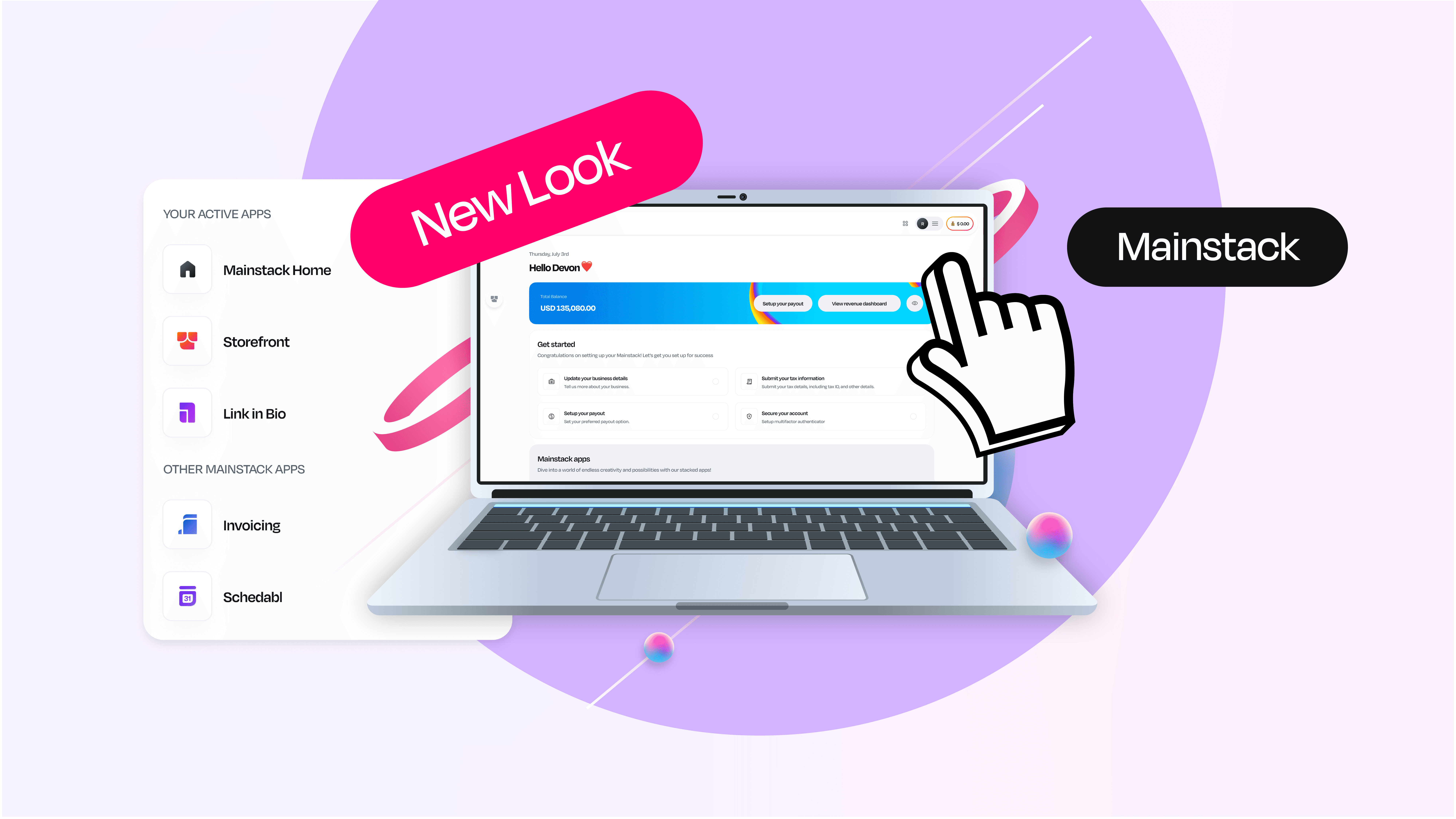
We’ve remodeled the look of our platform to give you a more personalized experience, more comprehensive data and the ability to unlock a new range of products.
Why the Remodeled Look?
Our mission remains, to empower entrepreneurs, creators and businesses with the tools they need to thrive in the digital marketplace. This is why we are unveiling a series of innovative updates and features that will transform how our users interact with our platform.
“We are constantly thinking about our users and how to simplify their business operations while using and interacting with our platform. The new look is a result of that commitment, and it’s just the beginning. We are already exploring new ways to enhance the user experience in the coming months.”
-Ayo’O (CEO and Co-founder at Mainstack)
Convenience for Our Users
User convenience is at the heart of everything we do. Our recent updates are designed to streamline their experience, making it easier than ever to navigate and utilize our platform. From the introduction of a new sign-up option to an active app switcher, every enhancement is crafted to ensure that you can manage your digital presence effortlessly.
Get Started with Any App
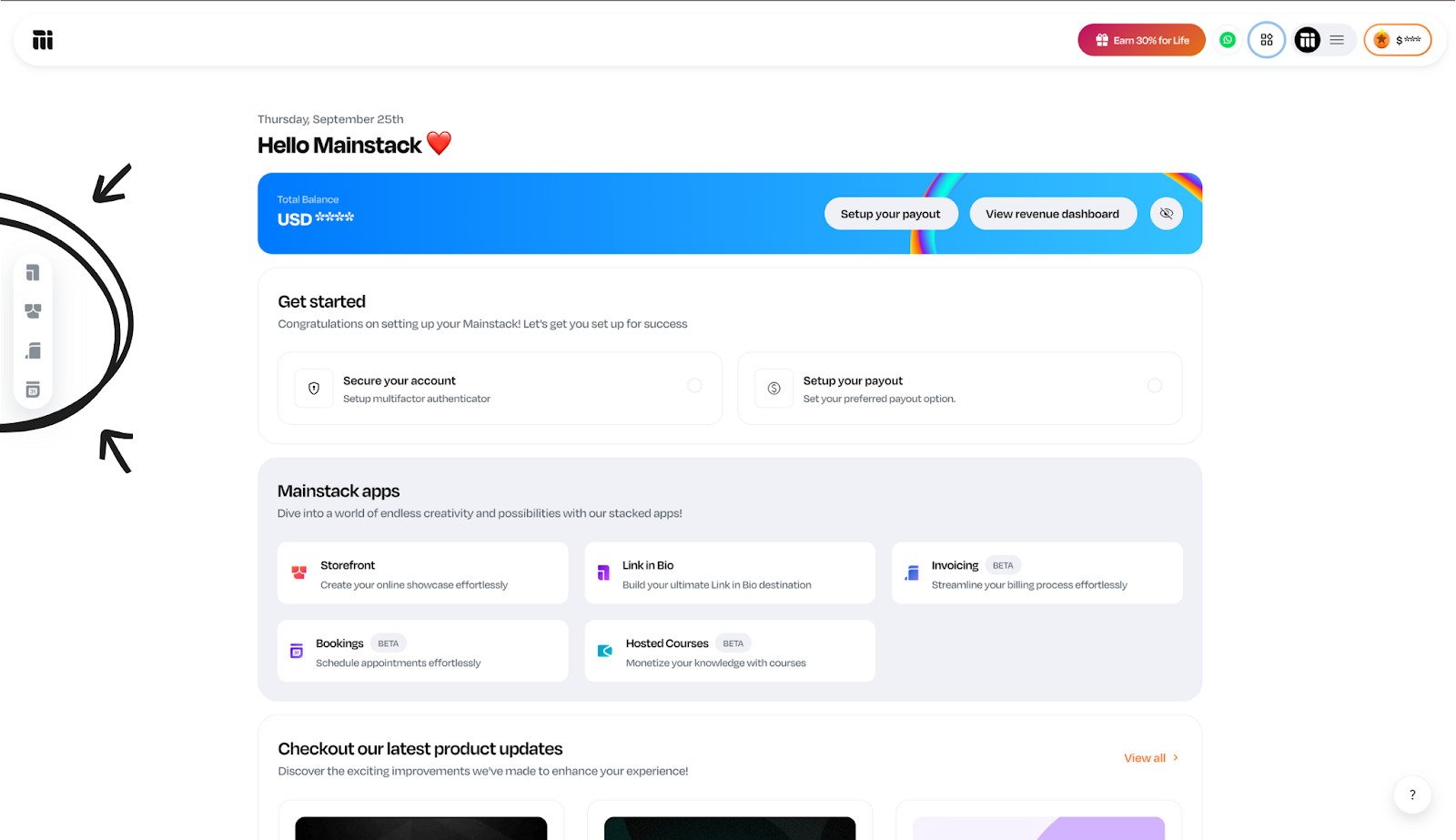
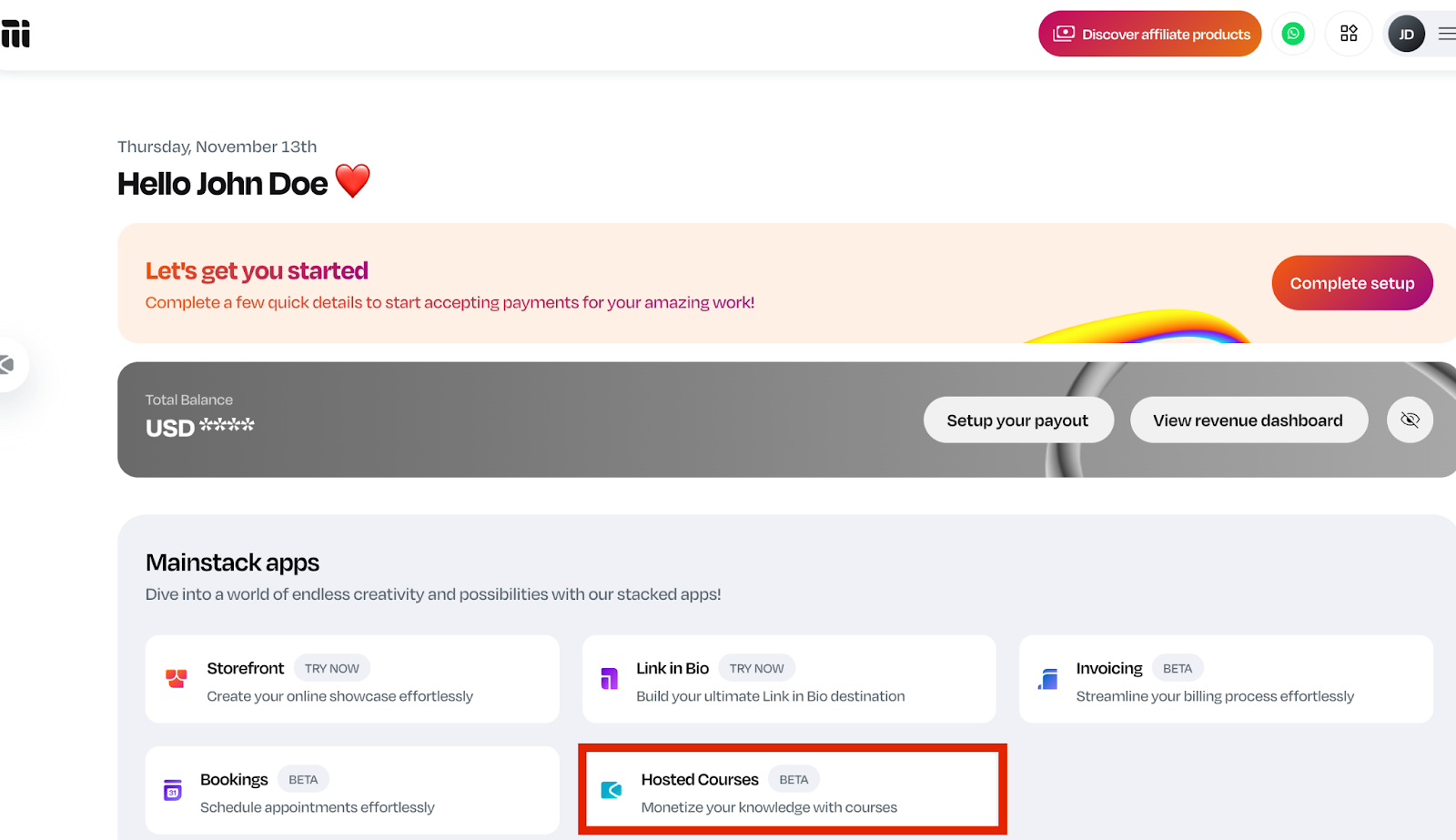
We have given you the flexibility to start where you want. With our latest update, you can now get started with any of our products—whether it's Link in Bio, Storefront, Courses or Schedabl—and switch seamlessly between the activated apps.
This allows you to tailor your experience to your specific needs, maximizing efficiency and convenience as you navigate your business journey.
Enhanced Home Page
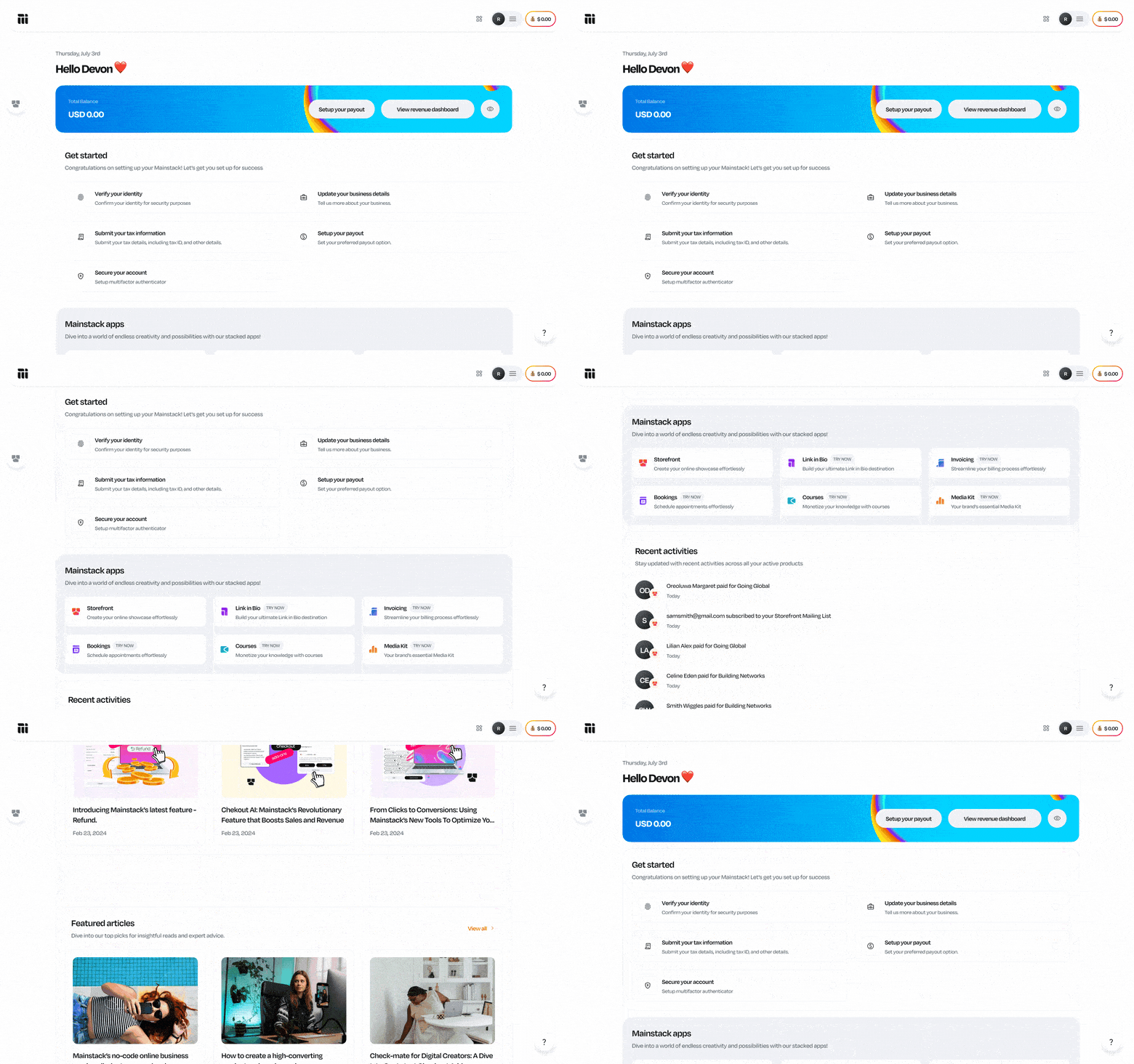
Your home page has received a major upgrade. Now, you can view your balance at a glance, explore all available products, stay updated with the latest product news, and access additional resources—all from one central hub.
Plus, for added privacy, you can choose to hide your balance information with the click of a button.
Active App Switcher
Imagine easily switching between your digital storefront, booking consultations, and managing your Link in Bio—all from one place.
Our new active app switcher makes this a reality, allowing you to toggle between the various products you’ve activated.
This seamless navigation boosts your productivity and keeps you focused on what matters most— growing your business.

Walkthrough Guide
Navigating new features or getting started with Mainstack has never been simpler, thanks to our new walkthrough guides. These prompts lead you through each step, ensuring you can take full advantage of all the powerful tools and functionalities Mainstack has to offer without any guesswork.
Unique Dashboards for Each Product
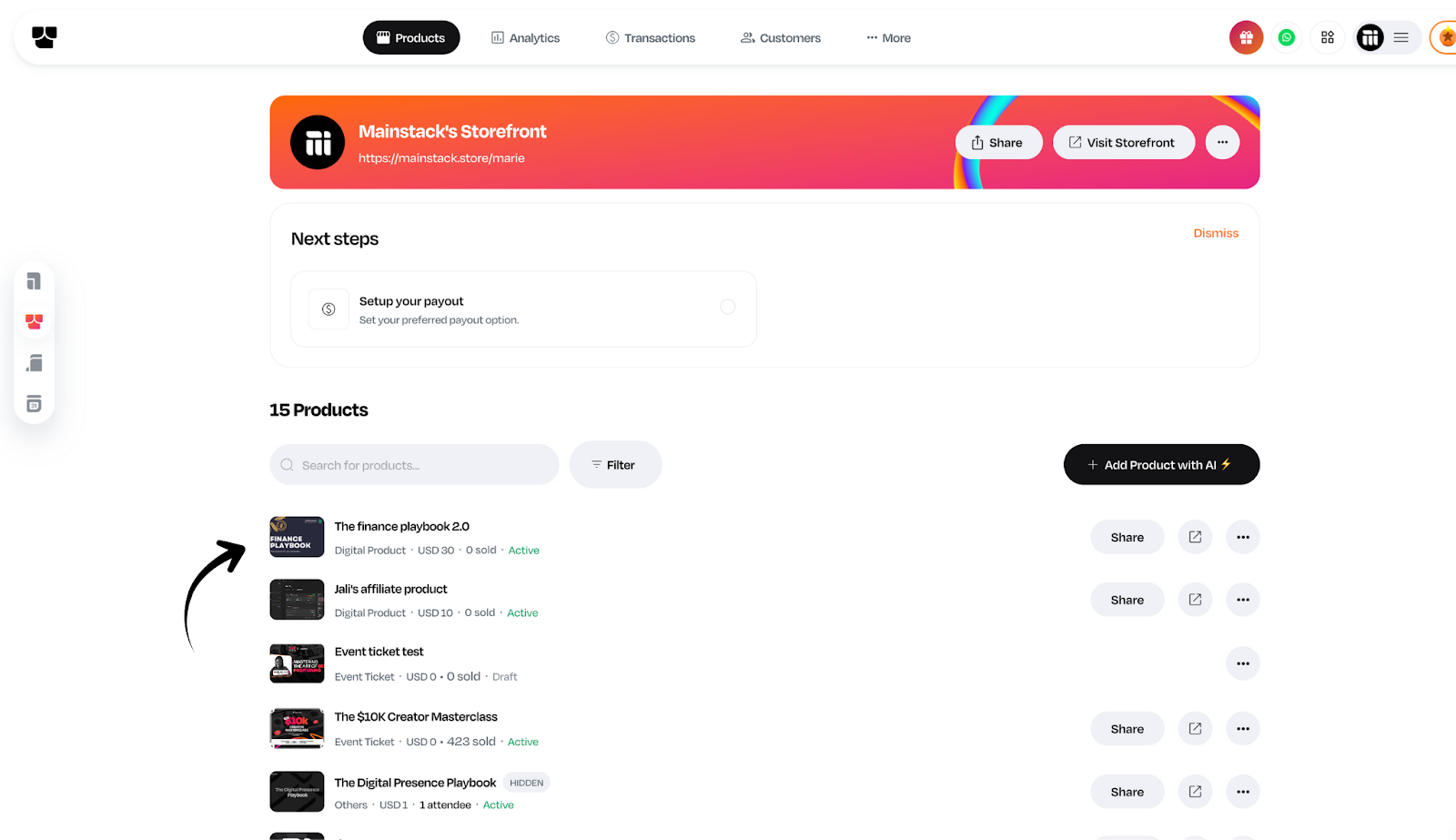
We’ve reimagined the dashboard experience to be more personalized and product-centric. Each product within Mainstack now has its own dedicated dashboard.
This shift from a general dashboard to product-specific dashboards means you get a more focused and tailored experience, allowing you to manage each aspect of your business more effectively.
Unique URLs for Each Product
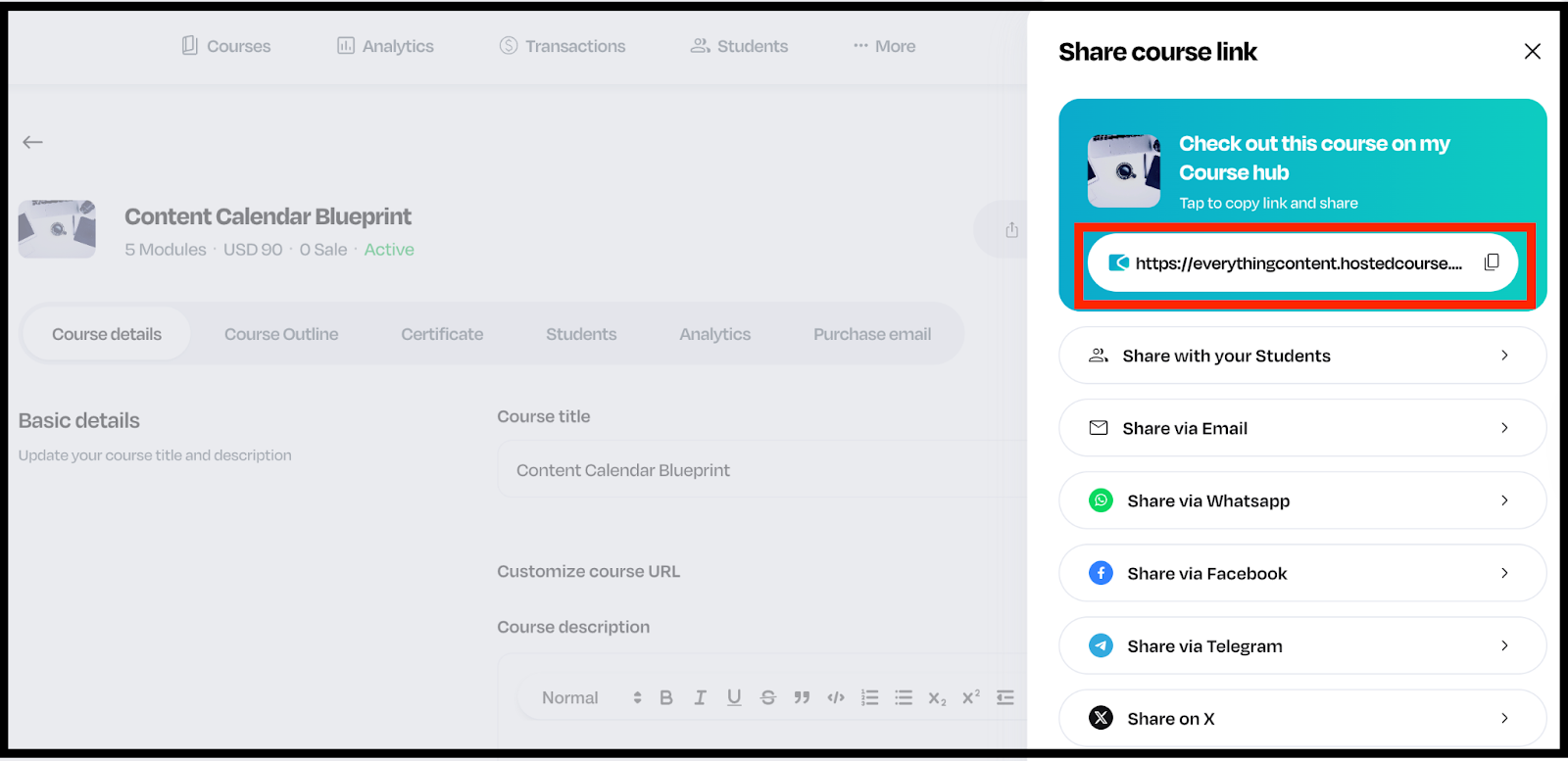
Stand out online with unique URLs for each of your activated Mainstack products. You are no longer confined to a single common URL, you can now create personalized links that enhance your brand’s identity and make it easier for your audience to find exactly what they’re looking for.
Need Help Section
Support is now just a click away. Our new ‘Need Help’ section is designed to provide you with prompt in-app assistance and a wealth of resources. This new feature provides prompt in-app support and access to valuable resources, ensuring you always have the help you need right at your fingertips.
Our Drive
At Mainstack, we pay close attention to our users’ feedback, we are constantly working to enhance their experience by innovating the look and feel of our products. We've implemented these updates to make your interaction with our platform smoother, more intuitive, and packed with powerful tools.
“The new look makes Mainstack extra simple to use. Every single tool you need to launch and grow your business is right here—in one place. We remodeled the platform for you—our users. So go ahead, explore the new features, and share your experience with us.”
- Olamide A. (Co-founder and CTO at Mainstack)
Simplified Business Operations
Running a business can be complex, but with Mainstack, it doesn’t have to be. Our goal is to simplify your business operations, giving you more time to focus on growth and innovation.
With unique dashboards for each product, a robust revenue dashboard, and new features like tax information setup, storefront integrations and a developer section, we’ve equipped you with the tools to manage your business more efficiently and effectively.
Tax Information Setup for US-based Businesses
For our US-based business owners, managing your business just got easier. You can now add and set up tax information during the business setup process.
This ensures you stay compliant with regulations and simplifies your financial management from day one.
Storefront Integrations and a Developer Section
We’re excited to introduce integrations and a developer section for the Storefront product. This new addition allows you to easily integrate Klaviyo to supercharge your email/sms/CDP marketing efforts and manage webhooks with ease, providing you with more control over your business.
Robust Revenue Dashboard
Understanding your financial health is crucial for any business. Our newly enhanced revenue dashboard offers detailed insights into your earnings, giving you a comprehensive view of your financial performance. With this robust tool, you can make data-driven decisions to fuel your growth.
Multiple Link in Bio Setups
Why settle for one when you can have multiple? Users can now set up multiple Link in Bio pages, each tailored to different aspects of your online presence. This flexibility allows you to direct your audience to specific content or campaigns, enhancing your engagement and reach.
Marketing Tool for Link in Bio
We are taking your marketing efforts to the next level with our new email campaign tool integrated into the Link in Bio product. You can now launch targeted email campaigns directly from Link in Bio, making connecting with your audience and driving conversions easier than ever.
These updates are designed with you in mind, we’re committed to continuously improving our platform to support your business journey in the digital marketplace.
Have you logged into your Mainstack today?
Did you notice something different about your dashboard?
We pushed an update!
We’ve remodeled the look of our platform to give you a more personalized experience, more comprehensive data and the ability to unlock a new range of products.
Why the Remodeled Look?
Our mission remains, to empower entrepreneurs, creators and businesses with the tools they need to thrive in the digital marketplace. This is why we are unveiling a series of innovative updates and features that will transform how our users interact with our platform.
“We are constantly thinking about our users and how to simplify their business operations while using and interacting with our platform. The new look is a result of that commitment, and it’s just the beginning. We are already exploring new ways to enhance the user experience in the coming months.”
-Ayo’O (CEO and Co-founder at Mainstack)
Convenience for Our Users
User convenience is at the heart of everything we do. Our recent updates are designed to streamline their experience, making it easier than ever to navigate and utilize our platform. From the introduction of a new sign-up option to an active app switcher, every enhancement is crafted to ensure that you can manage your digital presence effortlessly.
Get Started with Any App
We have given you the flexibility to start where you want. With our latest update, you can now get started with any of our products—whether it's Link in Bio, Storefront, Courses or Schedabl—and switch seamlessly between the activated apps.
This allows you to tailor your experience to your specific needs, maximizing efficiency and convenience as you navigate your business journey.
Enhanced Home Page
Your home page has received a major upgrade. Now, you can view your balance at a glance, explore all available products, stay updated with the latest product news, and access additional resources—all from one central hub.
Plus, for added privacy, you can choose to hide your balance information with the click of a button.
Active App Switcher
Imagine easily switching between your digital storefront, booking consultations, and managing your Link in Bio—all from one place.
Our new active app switcher makes this a reality, allowing you to toggle between the various products you’ve activated.
This seamless navigation boosts your productivity and keeps you focused on what matters most— growing your business.
Walkthrough Guide
Navigating new features or getting started with Mainstack has never been simpler, thanks to our new walkthrough guides. These prompts lead you through each step, ensuring you can take full advantage of all the powerful tools and functionalities Mainstack has to offer without any guesswork.
Unique Dashboards for Each Product
We’ve reimagined the dashboard experience to be more personalized and product-centric. Each product within Mainstack now has its own dedicated dashboard.
This shift from a general dashboard to product-specific dashboards means you get a more focused and tailored experience, allowing you to manage each aspect of your business more effectively.
Unique URLs for Each Product
Stand out online with unique URLs for each of your activated Mainstack products. You are no longer confined to a single common URL, you can now create personalized links that enhance your brand’s identity and make it easier for your audience to find exactly what they’re looking for.
Need Help Section
Support is now just a click away. Our new ‘Need Help’ section is designed to provide you with prompt in-app assistance and a wealth of resources. This new feature provides prompt in-app support and access to valuable resources, ensuring you always have the help you need right at your fingertips.
Our Drive
At Mainstack, we pay close attention to our users’ feedback, we are constantly working to enhance their experience by innovating the look and feel of our products. We've implemented these updates to make your interaction with our platform smoother, more intuitive, and packed with powerful tools.
“The new look makes Mainstack extra simple to use. Every single tool you need to launch and grow your business is right here—in one place. We remodeled the platform for you—our users. So go ahead, explore the new features, and share your experience with us.”
- Olamide A. (Co-founder and CTO at Mainstack)
Simplified Business Operations
Running a business can be complex, but with Mainstack, it doesn’t have to be. Our goal is to simplify your business operations, giving you more time to focus on growth and innovation.
With unique dashboards for each product, a robust revenue dashboard, and new features like tax information setup, storefront integrations and a developer section, we’ve equipped you with the tools to manage your business more efficiently and effectively.
Tax Information Setup for US-based Businesses
For our US-based business owners, managing your business just got easier. You can now add and set up tax information during the business setup process.
This ensures you stay compliant with regulations and simplifies your financial management from day one.
Storefront Integrations and a Developer Section
We’re excited to introduce integrations and a developer section for the Storefront product. This new addition allows you to easily integrate Klaviyo to supercharge your email/sms/CDP marketing efforts and manage webhooks with ease, providing you with more control over your business.
Robust Revenue Dashboard
Understanding your financial health is crucial for any business. Our newly enhanced revenue dashboard offers detailed insights into your earnings, giving you a comprehensive view of your financial performance. With this robust tool, you can make data-driven decisions to fuel your growth.
Multiple Link in Bio Setups
Why settle for one when you can have multiple? Users can now set up multiple Link in Bio pages, each tailored to different aspects of your online presence. This flexibility allows you to direct your audience to specific content or campaigns, enhancing your engagement and reach.
Marketing Tool for Link in Bio
We are taking your marketing efforts to the next level with our new email campaign tool integrated into the Link in Bio product. You can now launch targeted email campaigns directly from Link in Bio, making connecting with your audience and driving conversions easier than ever.
These updates are designed with you in mind, we’re committed to continuously improving our platform to support your business journey in the digital marketplace.







.jpg)