Blog Hero  Image

Introducing Mainstack Checkout: Where Your Website Meets Global Sales

Author Image
Mainstack Editorial Team
October 28, 2025
10 min read

We're excited to announce that CheckoutAI is now Mainstack Checkout, a name that better reflects its place in our product ecosystem. This change is more than cosmetic; it represents our ongoing commitment to providing borderless payment capabilities that empower your business wherever you are.
 

Checkout email_optimized (1).gif

Three Flexible Checkout Options

Understanding that each business has unique requirements, Mainstack Checkout continues to offer three adaptable solutions:

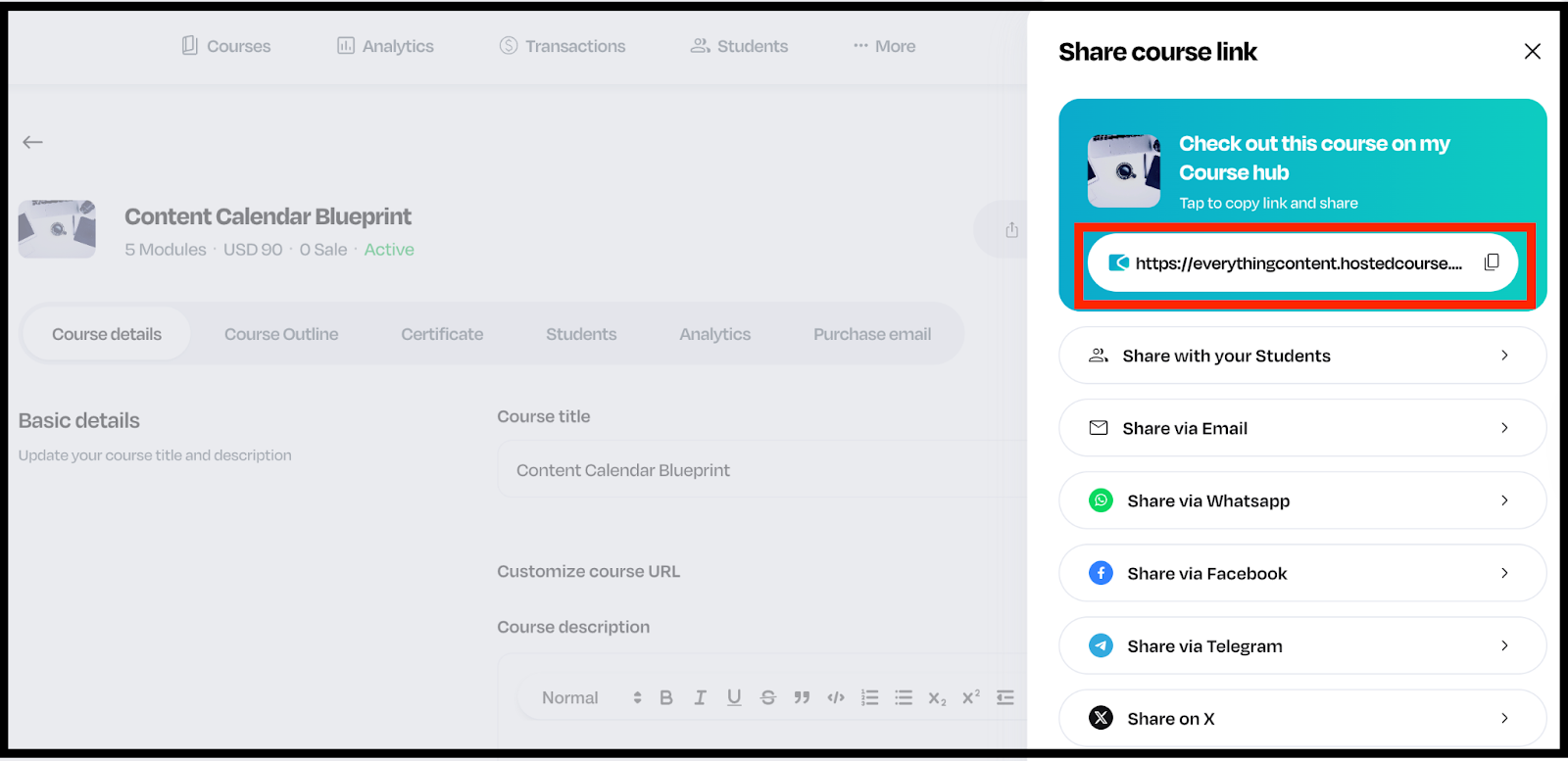
Checkout Link: Generate instant payment URLs that transform any digital touchpoint into a potential sale. These links create seamless purchasing experiences without requiring customers to navigate to a separate platform, regardless of being shared via social media, email, or messaging apps.

Speed Checkout: Keep customers on your website with our embedded payment solution that integrates with just a few lines of code. Maintain your brand experience and customer journey while enabling you to get paid for your products and services in 135+ currencies, no platform migration required.

Popup Checkout: Create professional overlay experiences that maintain the context of your website while guiding customers through a secure, streamlined checkout process. This balanced approach preserves your digital identity while offering enterprise-level payment capabilities.

While CheckoutAI has evolved to Mainstack Checkout, our mission remains constant: transforming global commerce potential into achievable business growth by meeting you where you are. 

We're excited to announce that CheckoutAI is now Mainstack Checkout, a name that better reflects its place in our product ecosystem. This change is more than cosmetic; it represents our ongoing commitment to providing borderless payment capabilities that empower your business wherever you are.


Checkout email_optimized (1).gif

Three Flexible Checkout Options

Understanding that each business has unique requirements, Mainstack Checkout continues to offer three adaptable solutions:

Checkout Link: Generate instant payment URLs that transform any digital touchpoint into a potential sale. These links create seamless purchasing experiences without requiring customers to navigate to a separate platform, regardless of being shared via social media, email, or messaging apps.

Speed Checkout: Keep customers on your website with our embedded payment solution that integrates with just a few lines of code. Maintain your brand experience and customer journey while enabling you to get paid for your products and services in 135+ currencies, no platform migration required.

Popup Checkout: Create professional overlay experiences that maintain the context of your website while guiding customers through a secure, streamlined checkout process. This balanced approach preserves your digital identity while offering enterprise-level payment capabilities.

While CheckoutAI has evolved to Mainstack Checkout, our mission remains constant: transforming global commerce potential into achievable business growth by meeting you where you are. 

Sources used:
Sources last checked on date:
October 28, 2025

Make money online selling what you know. Mainstack makes it easy for you to showcase and get paid.

Find out more
Related Articles
Product Updates
New Feature Launch: Meta Pixel Integration Is Now Live on Mainstack
Add Meta Pixel to your Mainstack page to track conversions, retarget visitors, and optimize Facebook and Instagram ads. set up Meta Pixel on Mainstack.
Mainstack Editorial Team
November 21, 2025
10 min read
Read more
Button ArrowButton Arrow

We’re thrilled to announce a brand-new feature: Meta Pixel Integration is now available on Mainstack!

With this update, you can easily add Meta Pixel (formerly Facebook Pixel) to your Mainstack page to track conversions, measure ad performance, and optimize your marketing campaigns across Facebook and Instagram.

If you use Mainstack to promote your products, digital services, or affiliate offers, this new feature helps you understand your audience better and turn every click into a conversion.

What Is Meta Pixel Integration and Why It Matters

The Meta Pixel is a powerful analytics tool from Meta (formerly Facebook) that helps you understand what happens after people visit your page. When you connect it to your Mainstack Storefront or Hosted Course, you unlock a new level of insight into how your visitors engage, click, and convert.

Here’s what it helps you do:

  • Track conversions that matter: See exactly how many people click your links, sign up for your course, or complete a purchase on your Mainstack page.
  • Measure your ad results: Know which Facebook or Instagram ads are actually driving traffic and sales, not just impressions.
  • Retarget your visitors: Reconnect with people who viewed your page but didn’t buy or sign up and bring them back with the right ad.
  • Optimize ad delivery automatically: Meta’s algorithm uses your pixel data to find more people like your best customers, so your ads convert better over time.

With Meta Pixel integration on Mainstack, you can finally see the full picture without using multiple tools or complicated setups. It’s everything you need to run smarter ads, understand your audience, and grow faster, all in one place.

How to Set Up Meta Pixel Integration on Mainstack (Step-by-Step Guide)

Setting up Meta Pixel on Mainstack takes just a few minutes. Here’s how to do it:

Step 1: Find your Meta Pixel ID

  1. Go to Meta Business Suite or Meta Business Manager: business.facebook.com
  2. Open Events Manager (left sidebar → Data SourcesPixels).
Screenshot of the Facebook Business interface with an arrow pointing to the Events Manager option in the left-hand menu.

  1. Select the Pixel you want to use. The Pixel ID is displayed near the Pixel name (the long number).

Screenshot of the Facebook Business Data Sources page with an arrow pointing to the Meta Pixel ID.

  1. Copy that Pixel ID and paste it into Mainstack.
💡 Pro tip: If you don’t have a pixel yet, create one in Events Manager → Add Data SourceWebMeta Pixel and follow the prompts. Then return here to copy the Pixel ID.

Step 2: Connect Meta Pixel inside Mainstack 

  1. Login to your Mainstack dashboard.
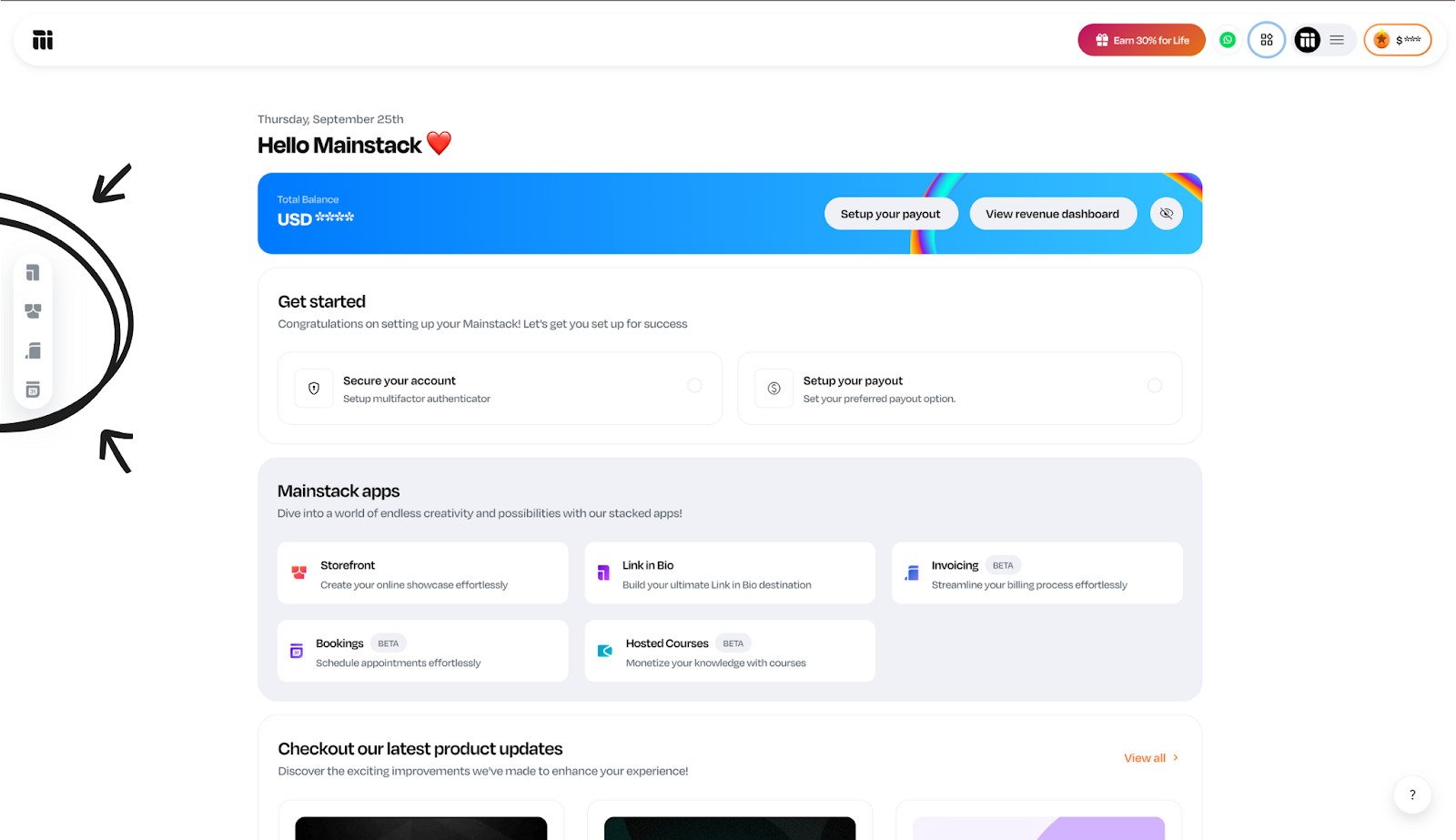
Snapshot of the Mainstack dashboard.

  1. Open the Storefront or Hosted Courses page you want to track. 

Screenshot of the Mainstack dashboard with the Storefront and Hosted Courses apps highlighted.

💡 Note: If you have multiple pages, repeat this setup for each page or connect at the account-level.

  1. Next, click the three-dot menu (⋮) in the top-right corner of that page’s editor.
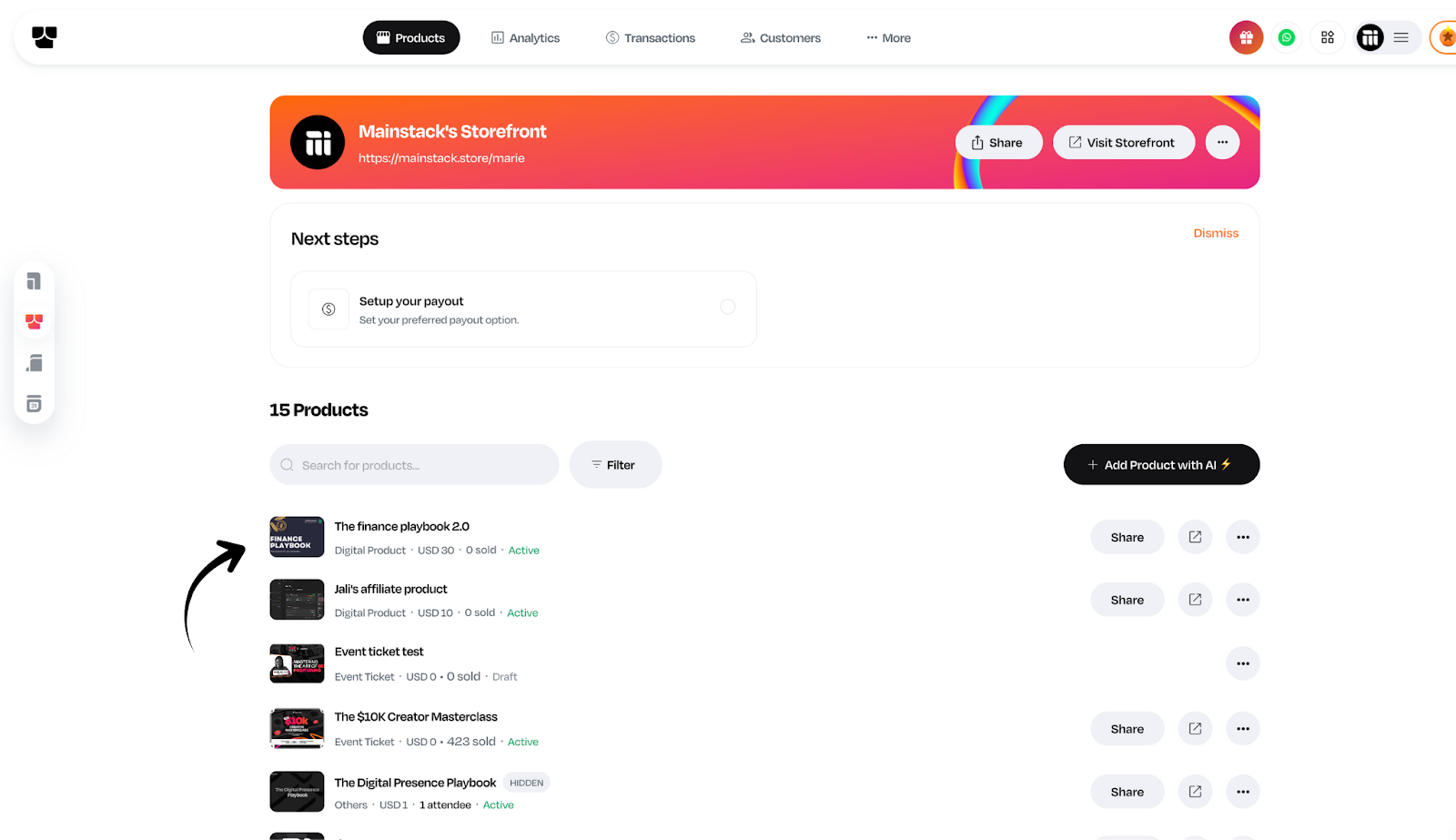
Screenshot of a Mainstack user’s storefront dashboard with an arrow pointing to the three-dot menu icon, showing where to click for additional options.

  1. Select Integrations from the dropdown.

Mainstack Storefront interface with the drop-down menu expanded, and an arrow highlighting the ‘Integrations’ menu item.

  1. Look for Facebook Pixel in the list and click Connect.

Mainstack Storefront Integrations page displaying three integration options—Klaviyo for email marketing, Facebook Pixel for tracking, and Google Merchant Center for product listings.

  1. Paste your Meta Pixel ID into the Pixel ID field.

Mainstack Facebook Pixel setup highlighted on the right-hand panel with an arrow pointing to the text field where users can enter their Meta Pixel ID.

  1. Click Save, and your tracking goes live instantly.

Once connected, Mainstack automatically starts sending tracking events to your Meta Pixel, so you can monitor link clicks, conversions, and user interactions from your ad campaigns.

Step 3: Verify the Pixel is installed correctly

After saving your Meta pixel on Mainstack, use one or more of these methods to verify it is installed correctly:

A. Meta Pixel Helper (Chrome extension)

Screenshot of the Meta Pixel Helper Chrome Web Store page with an arrow pointing to the "Add to Chrome" button.

  • Install the Meta Pixel Helper extension, visit your Mainstack page, and click the extension icon.
  • It shows if the Pixel is detected, lists fired events, and flags common problems.

Screenshot of a Mainstack user’s storefront with the Meta Pixel Helper Chrome extension opened, displaying a message that one pixel has been found, confirming successful Meta Pixel integration.

B. Real-time Events in Events Manager

  • Open Overview in Events Manager to see recent activity and Diagnostics to view warnings.
Screenshot of the Facebook Business Events Manager showing the Overview page with Event Analytics displayed, highlighting Pixel activity and analytics for website events.

Start Tracking Smarter with Mainstack

Your growth depends on understanding what works. With Meta Pixel integration on Mainstack, you now have the tools to track, optimize, and scale your marketing effortlessly.

Log in to your Mainstack dashboard today to connect your Meta Pixel and start making data-driven marketing decisions.

Product Updates
Crypto Payments Now on Mainstack
Accept cryptocurrency payments on Mainstack! Now supporting Bitcoin, Ethereum, and more digital currencies for global transactions and enhanced payment
Mainstack Editorial Team
August 24, 2025
10 min read
Read more
Button ArrowButton Arrow

Everything we know about payments is rapidly evolving and at Mainstack, we're ensuring you're at the forefront of this revolution. 

We are pleased to announce that you can now accept cryptocurrency payments directly through your Mainstack Storefront. 

This feature allows you to cater to a growing demographic of customers who prefer or are accustomed to using digital currencies.

How Crypto Payments Work on Mainstack

crypto on mainstack.png


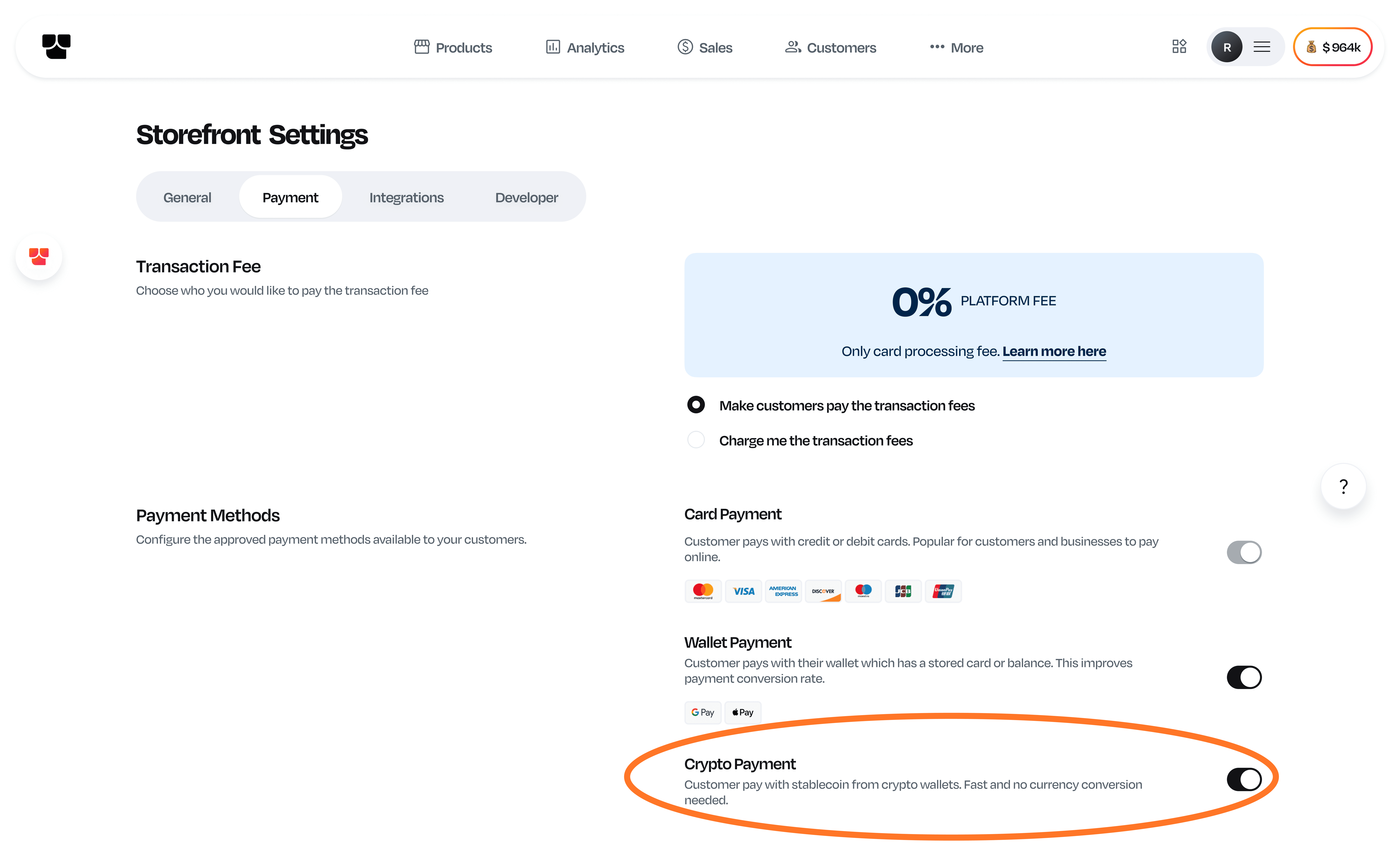
  1. Simply go to your Storefront settings and click on 'Payment' to see the crypto payment option. You can toggle it on or off according to your preference. 
  2. Your customers who want to make payment in USD then have the option to pay for your digital products directly from their crypto wallets.
  3. Once payment is made, you'll receive the funds in USD.

Mainstack is committed to ongoing innovation, integrating advanced solutions to help your business not only grow but succeed in the digital age. 

Our vision is to equip you with the tools necessary to eliminate all obstacles to global expansion, enabling your business to become truly limitless.

Featured
Product Updates
Mainstack Refer and Earn Program: Refer Once, Earn 30% For Life
Mainstack Refer and Earn Program lets you refer once and earn 30% for life. Invite creators, grow your community, and enjoy recurring rewards forever.
Mainstack Editorial Team
August 26, 2025
10 min read
Read more
Button ArrowButton Arrow

At Mainstack, we're dedicated to empowering entrepreneurs and creators to thrive in a borderless digital economy. Our Refer and Earn program provides a straightforward and rewarding way to establish a sustainable income stream while helping others discover a platform that can transform their businesses.


What Is the Refer and Earn Program?

Mainstack's Refer and Earn program pays you up to 30% commission for life from your referrals, for as long as they use Mainstack. As an entrepreneur in Lagos, a creator in New York, or a business owner anywhere in the world, this program is designed to reward you for promoting a platform that's already helping users build borderless businesses.

The best part is, Mainstack has no monthly subscription fees. That means your referrals can access powerful tools to get paid in 135+ currencies without recurring costs holding them back, and you’ll earn a lifetime commission from their success.


Why Join the Refer and Earn Program?


  • Passive Income for Life: Earn up to 30% commission for your referrals, forever. The more they grow, the more you earn.
  • Support a Revolutionary Platform: Mainstack enables businesses to sell globally without barriers. By referring others, you’re helping them unlock limitless potential.
  • No Limits, Just Opportunities: There’s no cap on how much you can earn, making this a scalable way to build income while focusing on your goals.


How It Works

  • Sign Up: Join the Refer and Earn program here. It’s quick and free.
  • Share Your Link: Get your unique referral link and share it with your network via email or social media.
  • Earn Commissions: When someone signs up through your referral link and uses Mainstack, you'll earn up to 30% commission from every successful sale they make.


 Who Should Join?

This program is perfect for anyone passionate about entrepreneurship and creativity. Business owners, content creators, or anyone with a community can turn their connections into a steady income stream. 

The digital economy is all about community, and at Mainstack, we believe in growing together. Our Refer and Earn program is your chance to build passive income while enabling others to succeed globally. 

Get started today, sign up, and start referring.